Auction Comparison Report
The Auction Comparison report compares the results of auction events. For example, you can use this report to compare the total gain or loss of multiple auctions. To view the report, from Events, select Auction comparison under Reports. The auction comparison page appears.
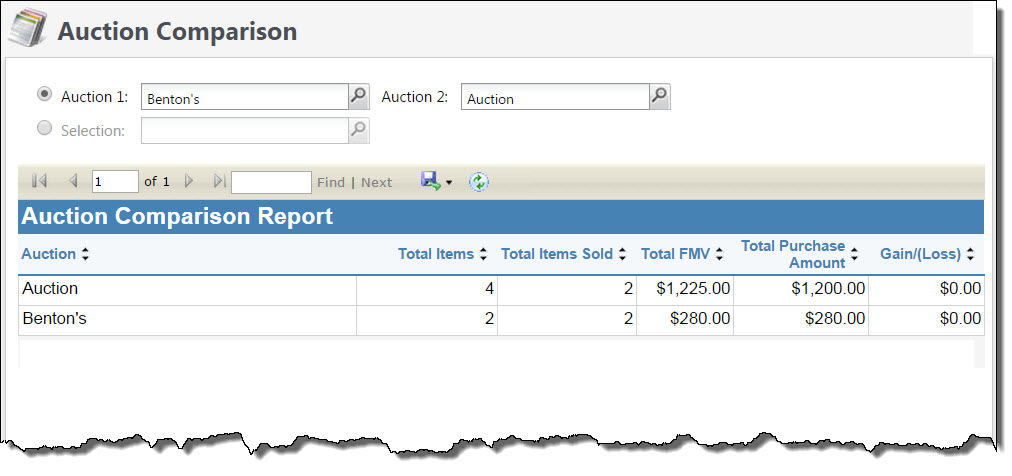
To run the report, select two auction events to compare, or use a selection of auction events to include in the report. After you select your auctions, select View report. The report compares the results of each auction and displays the total number of items in each auction, the total number of items sold, the total fair market value (FMV), the total purchase amount, and gain/loss.
With Multicurrency, you can use the Currency filter to view the results in the transaction currency of the items in the auction or the organization’s base currency.
You can print the report or export it in different formats.