Giving Activity Report
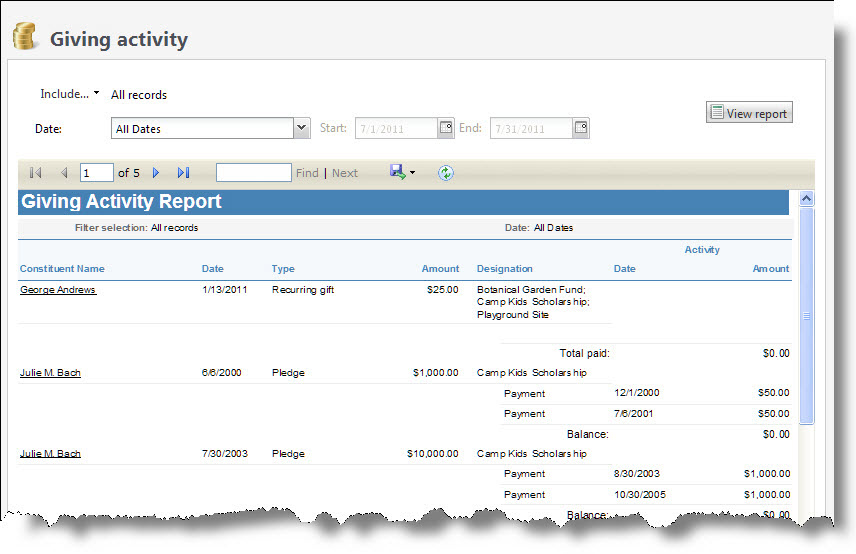
The Giving Activity Report provides a detailed account of all pledge and recurring gift activity, including payments, installments, and balances due, during the time period you define. Grant awards, matching gifts, recurring gifts applied to memberships, and donor challenges are also included. You can limit the report to specific pledges, such as outstanding pledges and recurring gifts. This report shows only activity that occurs during the selected time period; it does not list pledges with no activity in the time period. The data included depends on the parameters you select.
Note: If your organization uses site security, the amounts that appear in the Activity report include only revenue associated with the sites the user who generates the report has rights to access.
-
From Revenue, select Activity under Reports. The Activity Report screen appears.
-
To select the revenue transactions to include, select Include and select "All records," "Selected records," or "Specific record." If you select "Selected records" or "Specific record," in the field that appears, search for the records to include in the report.
-
Enter the date range for which to view activity.
-
In the Date field, select a date for which to view activity.
-
In the from and to fields, use the calendars to select a date range for which to view activity. The report displays all activity only for the date or date range you select.
-
-
Select View Report. The program generates and displays the report.