Sponsor Report
The Sponsor report counts all sponsors at a given time with active sponsorships. The report offers a snapshot of the general health of your sponsor numbers.
Note: This report includes the same dimensions as the Sponsorship acquisition report with an additional dimension for Number of sponsorships. The Number of sponsorship dimension has values of 1, 2, 3 and 4+.
You can base the report on three different dimensions, which filter and group data in your report. Your dimension selections are hierarchical. For example, if you select “Program” as your Dimension 1 any remaining dimension selections are restricted to the program option you select in Dimension 1. So if you select “Location type” in Dimension 2, only location types included in the program you selected in Dimension 1 are included in the report.
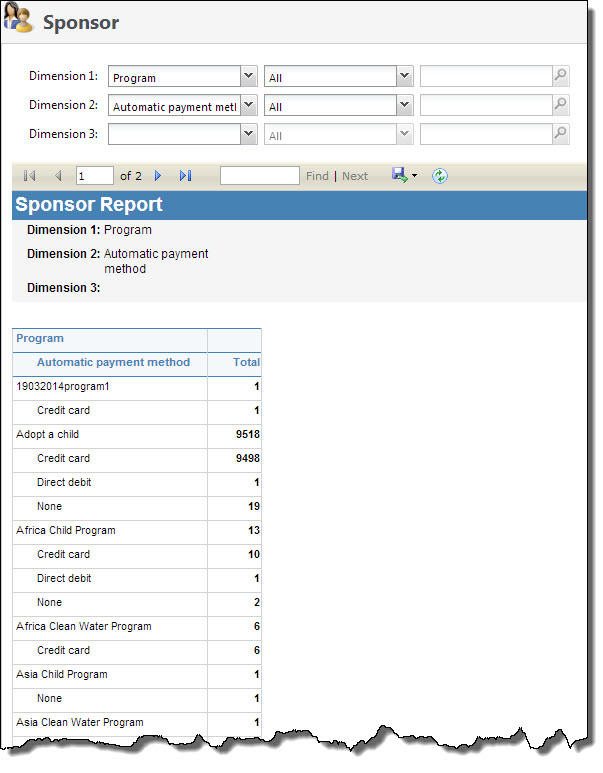
Generate a Sponsor Report
-
From the Sponsorship page, under Reports, select Sponsors. The Sponsors Report page appears.
-
In the Dimension 1 field, select the top level dimension you want used to define your report. For example, if you are interested in breaking your report down based on sponsorship programs, select “Program.” In the corresponding field, enter the program you want used. You can select “All” to see information for all programs in your system.
-
In the Dimension 2 and Dimension 3 fields, select the nesting dimensions you want included in your report. For example, if you selected “Program” and “All” for your Dimension 1, and you want to see all program information for a specific location type, in Dimension 2 select “Location types” and then select the type of location in the corresponding fields.
-
Select View Report to generate your report.