ICYMI: Quality of Life Improvements for Academics
New Features
We may be deep into Fall, but let’s head back a few months to highlight some of the best quality of life updates made to Academics.
https://d3k2f0s3vqqs9o.cloudfront.net/media/314ECBC4-9678-41CF-9E352DD63C518811/8B3984CF-852B-4E55-AEE09F8A60E83309/webimage-F2F6A869-00A4-4F5E-87B2BD014CAF3268.png
October 20, 2025
It may be October, but we’re not done recapping the busy summer months quite yet!
While you may remember that we went over a lot of the headline features that launched over the summer, this list will be slightly different. Not only are we focusing on the SIS portion of Academics but were covering not only some of the big features, but a few of the smaller, yet no less important, quality of life updates as well.
Let’s dive in, shall we?
Student Attendance Visual Enhancements
Over the summer we made additional improvements to the Student Attendance area. First, we updated the Description list to include new columns such as Advisor, Residence, and Student Email. In addition, School level was replaced by Grade level.
We then made it so that the List of students is now always shown based on the options selected within the Students to include criteria when adding attendance for groups. Students to include criteria was made easier to see and change, while the size of some UI elements like Reason and Comment were adjusted to help them fit better within the modal window.
Official Notes Gets Overhauled
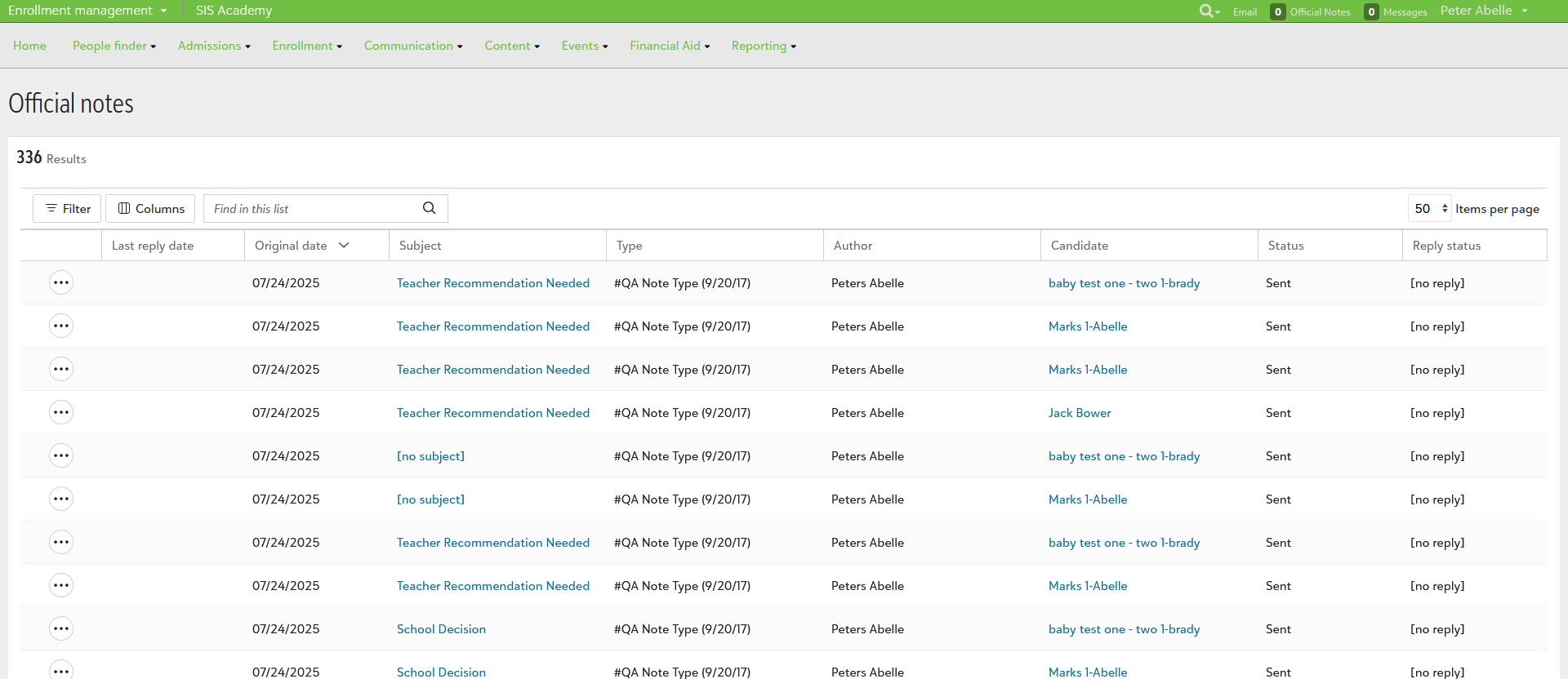
One of the first big changes the SIS team made throughout the summer was the visual upgrade given to the Manage official notes area of Academics. We kicked out the old Podium look and feel, replacing it with the modern SKY-based experience you’ve come to know in many areas of Blackbaud’s Education management products.
You can see the change by selecting Manage official notes from Academics, Communications, and Official Notes or from the Official notes ready to approve and Official Notes No approval required links from the Academics Home page. It then opens in a list style format, with the expected columns, filters, search bar, and more.
Curious to know more? Well, we have an overview video you should check out.
Attendance for Early Dismissal
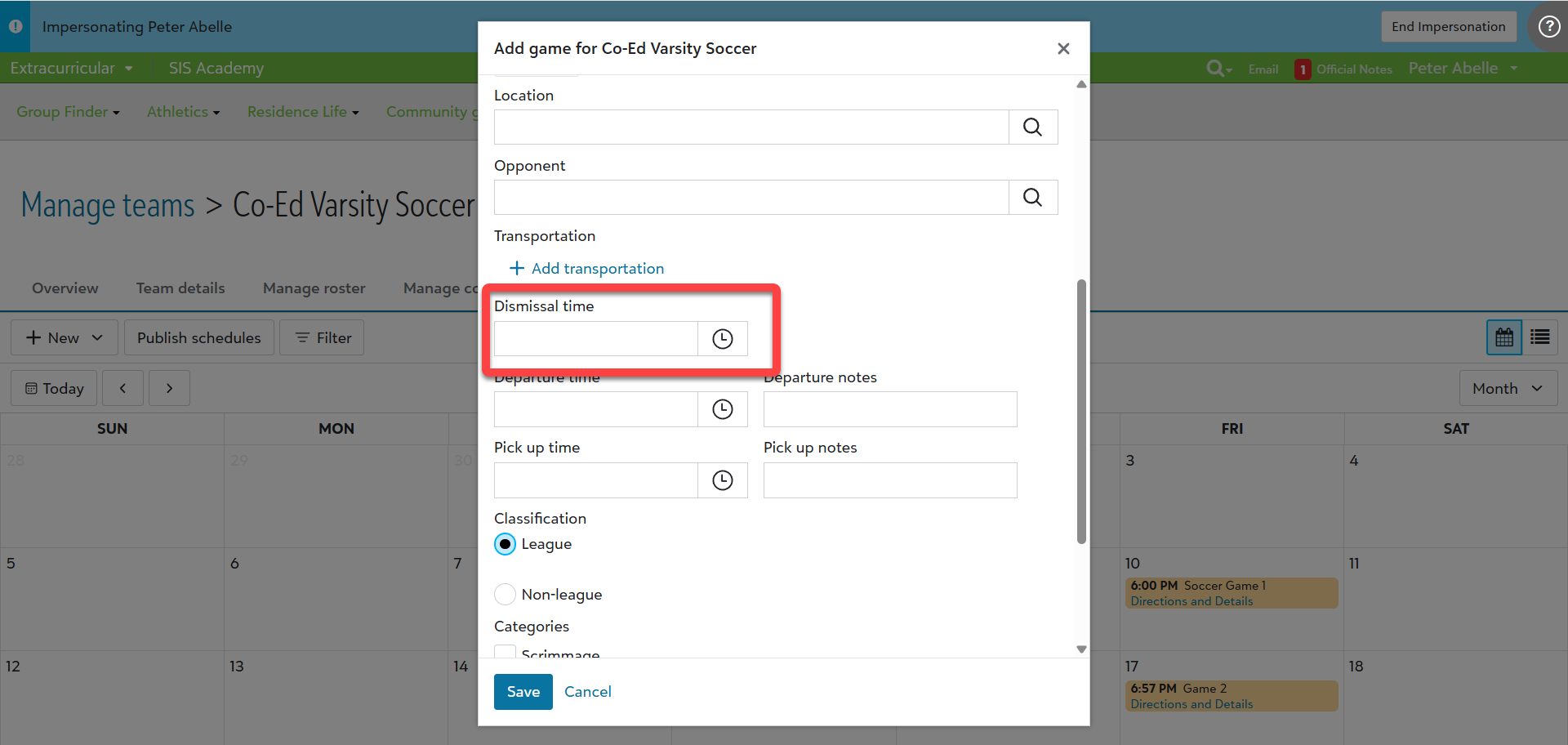
For members of an athletic team, we’ve tried to make setting up early dismissals for administrators easier. When you’re creating a new athletic game, schools can set dismissals using the Dismissal time field.
Adding time here will cause it to appear on the Attendance home page in the Needs attention area. Admins can also select it to display the students who are part of that athletic group. Ultimately, this change was made to help cut down on the number of clicks and makes it easier to update student records.
Attendance Codes
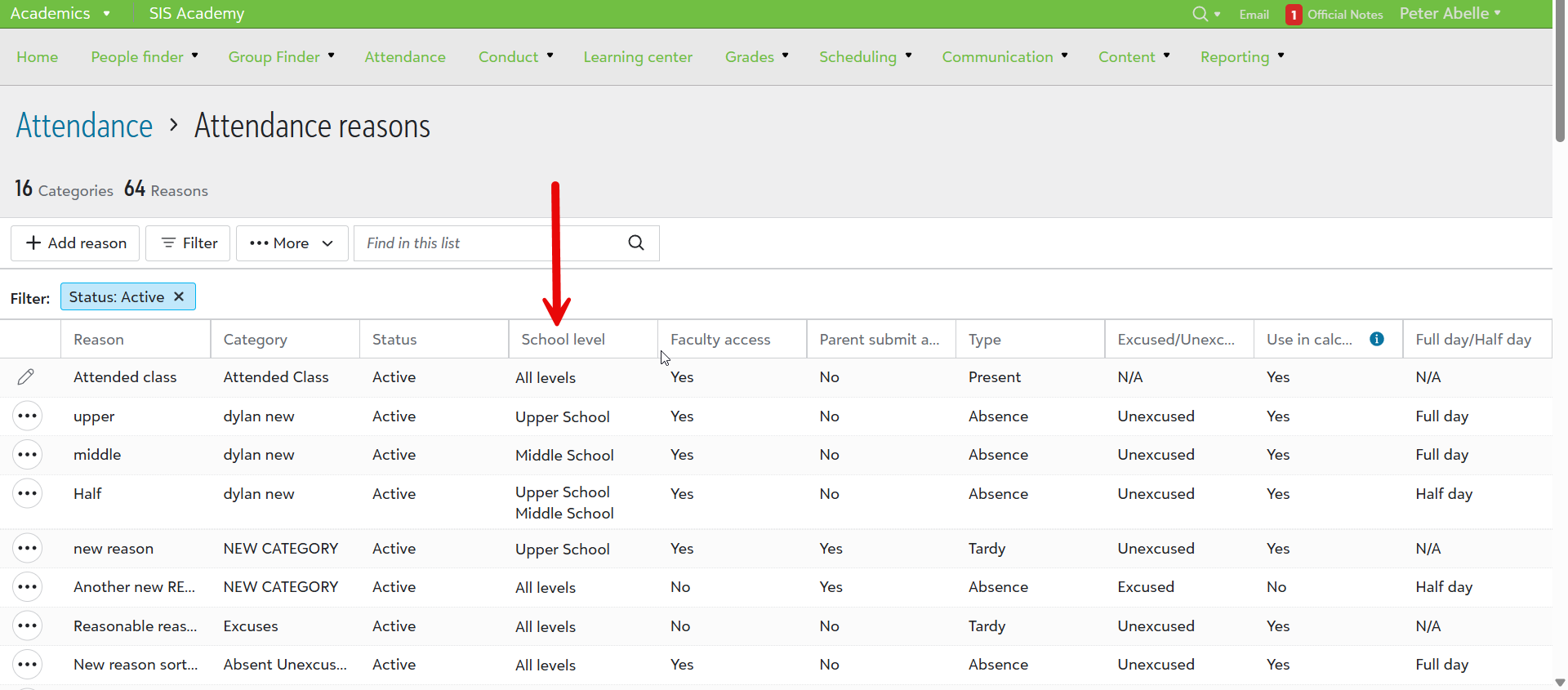
Under Attendance reasons, we’ve added school levels that can be assigned. Previously, faculty was able to see all codes regardless of level, which could result in plenty of confusion or frustration when you only want to see something specific. Now, schools can assign specific levels, helping to filter out the data that you don’t need or want to see.
If you’d like to catch up on other products or just see what the teams have been working on, make sure to check out our What’s Recent page or the Monthly Review sections of the help center.