Gradebook Key
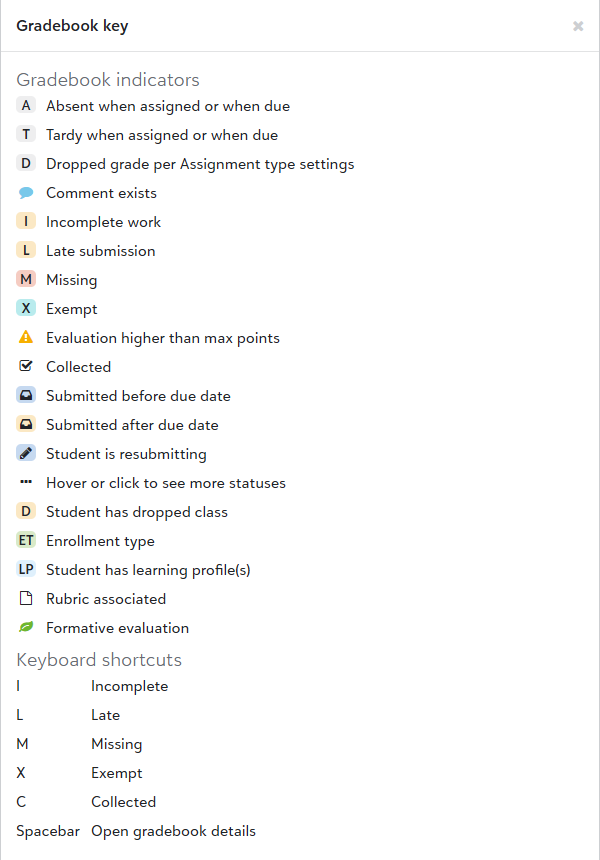
Gradebook indicators provide quick visual cues about students and assignments, such as if a student’s work is incomplete or missing, or if an assignment is associated with a rubric. For an explanation of what each icon means, select More, then See key. The key also includes available keyboard shortcuts used to quickly add status indicators for students or access gradebook details.
Note: