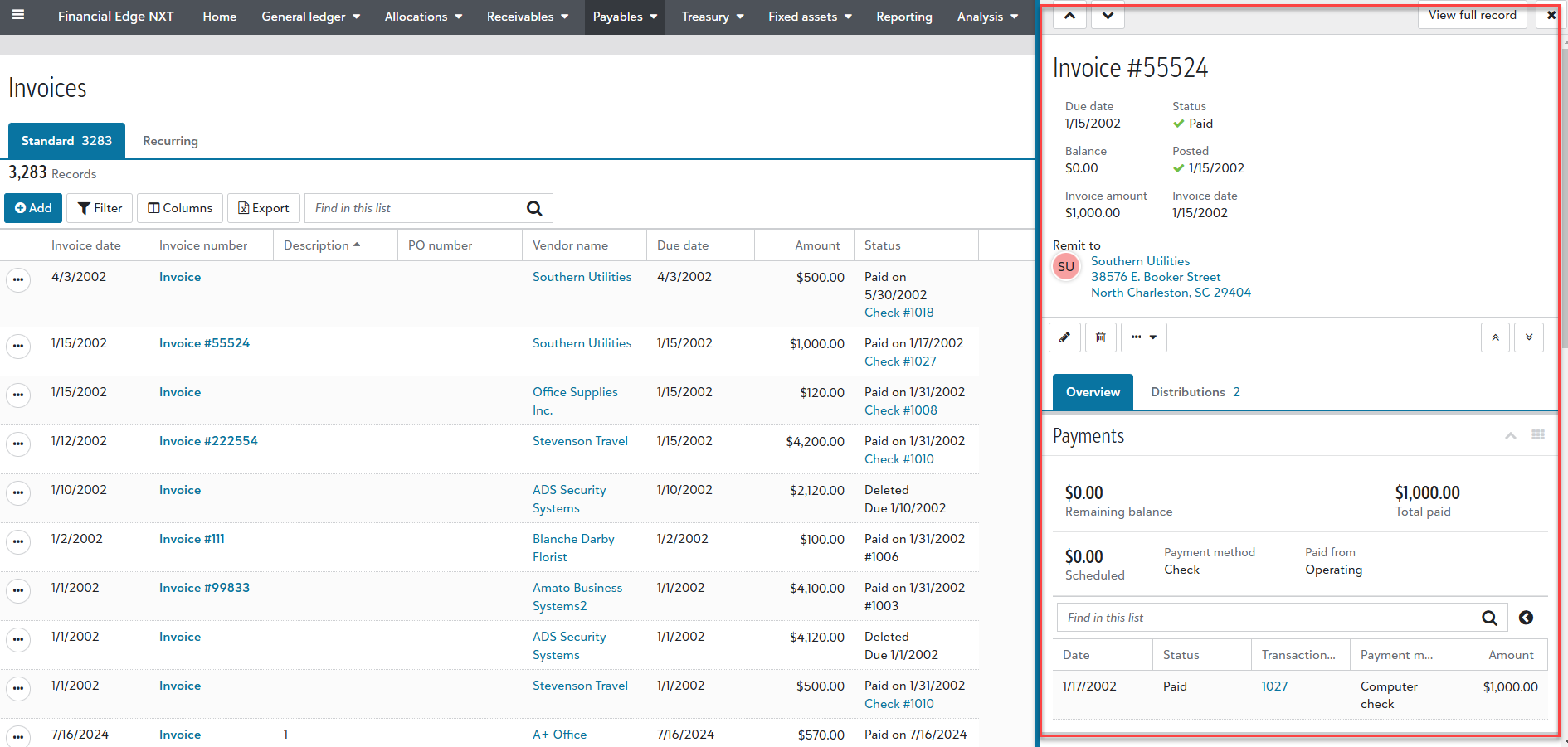
Record Quick View
To open a quick view of a record, such as a Payables invoice, simply select the invoice number directly from a list. Quick view lets you complete record-level tasks while viewing list details in one place — no need to switch screens.
Tip: Quick views are only available for some record types, such as Payables invoices, receipts, and credit memos.
At the top of the quick view, use arrows to scroll to the next or previous record. Feel free to drag the screen to increase the width. When finished, you can close or view the full record.