Manage Inactive Tags
Inactive tags are systems tags that are no longer in use. They are still retained in the system but cannot be applied to content.
 Mark tag as active
-
Navigate to the Settings > System Tags area.
-
Select the icon next to the number in the Inactive Tags column.
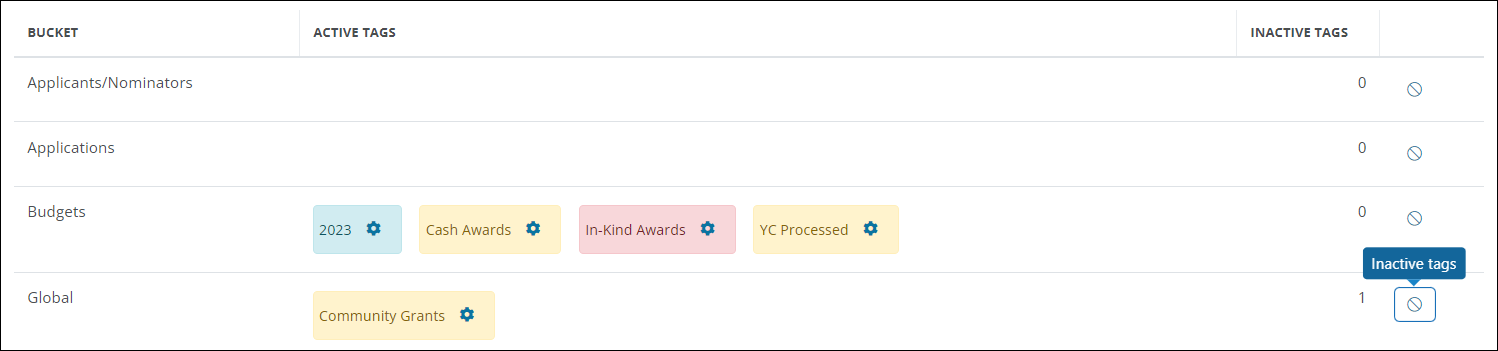
-
Choose Mark tag as active from the item's options.
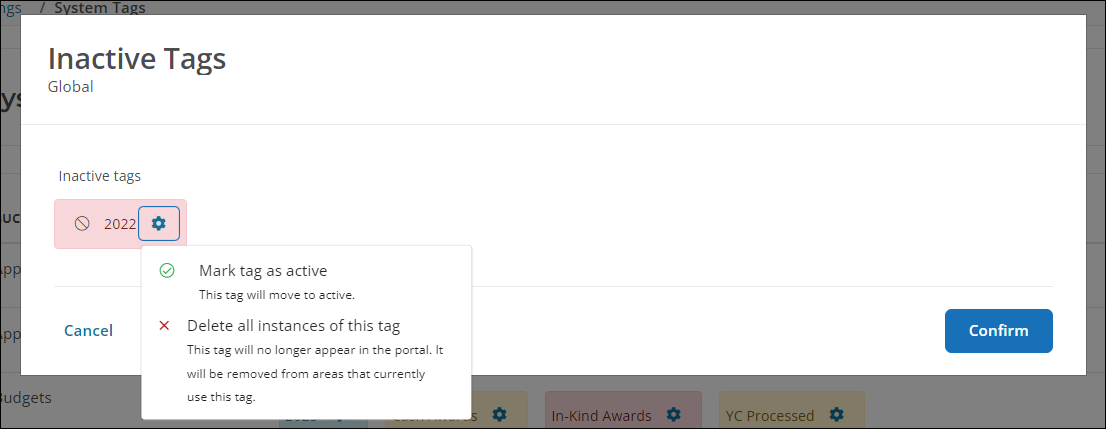
Once complete, the tag will be moved to the tag's original bucket in the Active Tags column.
Delete all instances of a tag
Warning: This action permanently removes a tag from the system, including existing content. It cannot be undone.
-
Navigate to the Settings > System Tags area.
-
Select the icon next to the number in the Inactive Tags column.
-
Choose Delete all instances from the item's options.