Workflow Triggers
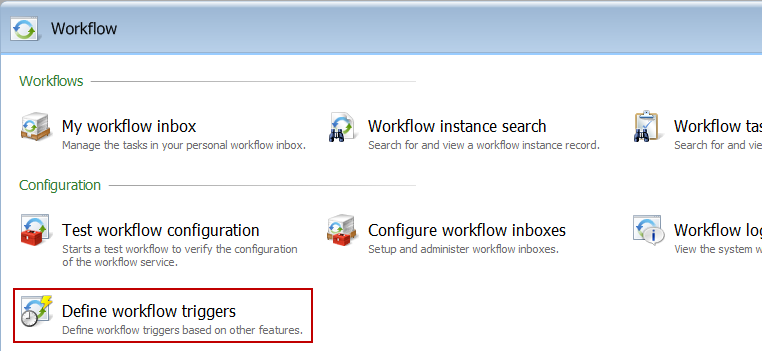
In the Workflow functional area, the Define workflow triggers task takes you to a page where you can define one or more triggers that can start workflows.
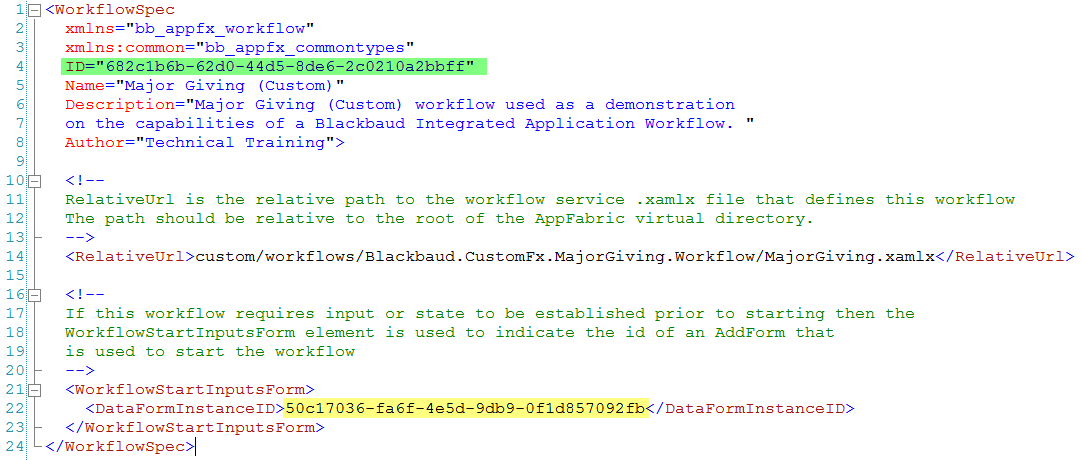
For a workflow to be eligible to be started by a trigger it must contain a WorkflowStartInputsForm element in the WorkflowSpec that points to an add data form that is used to start the workflow. The WorkflowStartInputsForm add data form (yellow highlight below) is the mechanism to pass values or state into the workflow. A workflow trigger is configured as go between that passes data from an Infinity application feature to this WorkflowStartsInputsForm.
The save implementation of the referenced WorkflowStartsInputsForm uses a CLR implementation to start the workflow. See below.
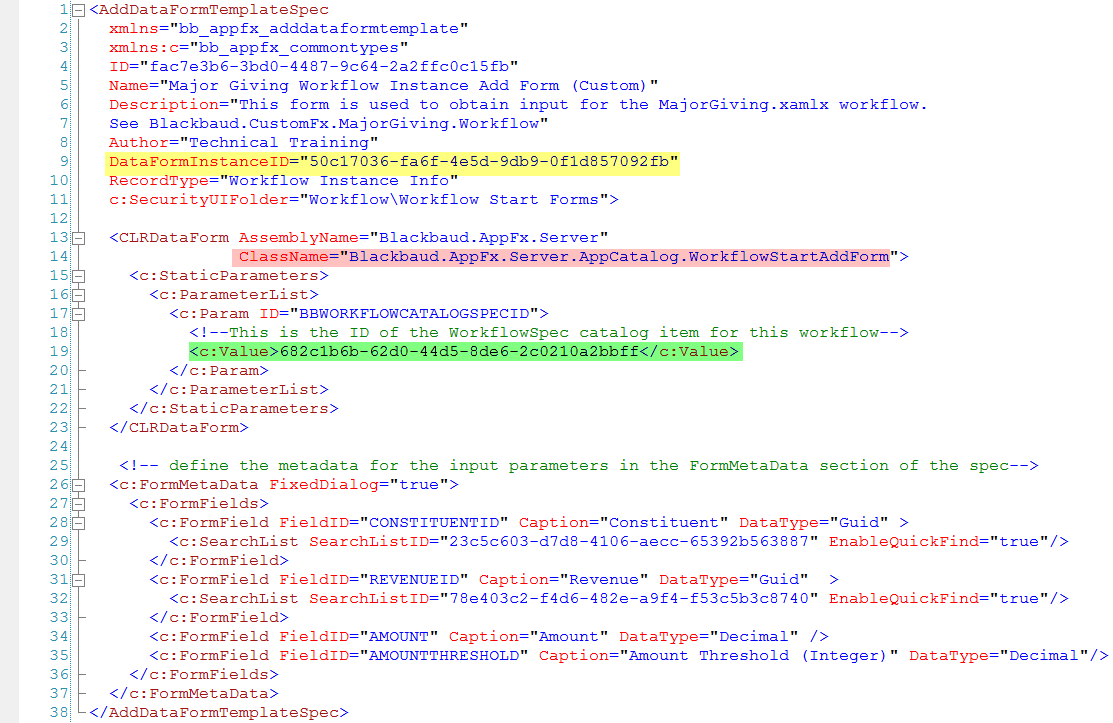
The form fields listed within this spec will be displayed as arguments within the workflow trigger data form. Below we see a screen shot of a data form trigger which is used to tie a data form to a workflow.