Submit Vetting Requests
Vetting requests can be submitted by YourCause Admins either individually or in bulk.
 Submit requests for individual organizations
-
Navigate to the Nonprofit Management > Nonprofit Settings area.
-
Search for the nonprofit name or Registration ID (e.g., EIN).
-
Select the ellipsis icon next to the nonprofit and then Request Vetting.
-
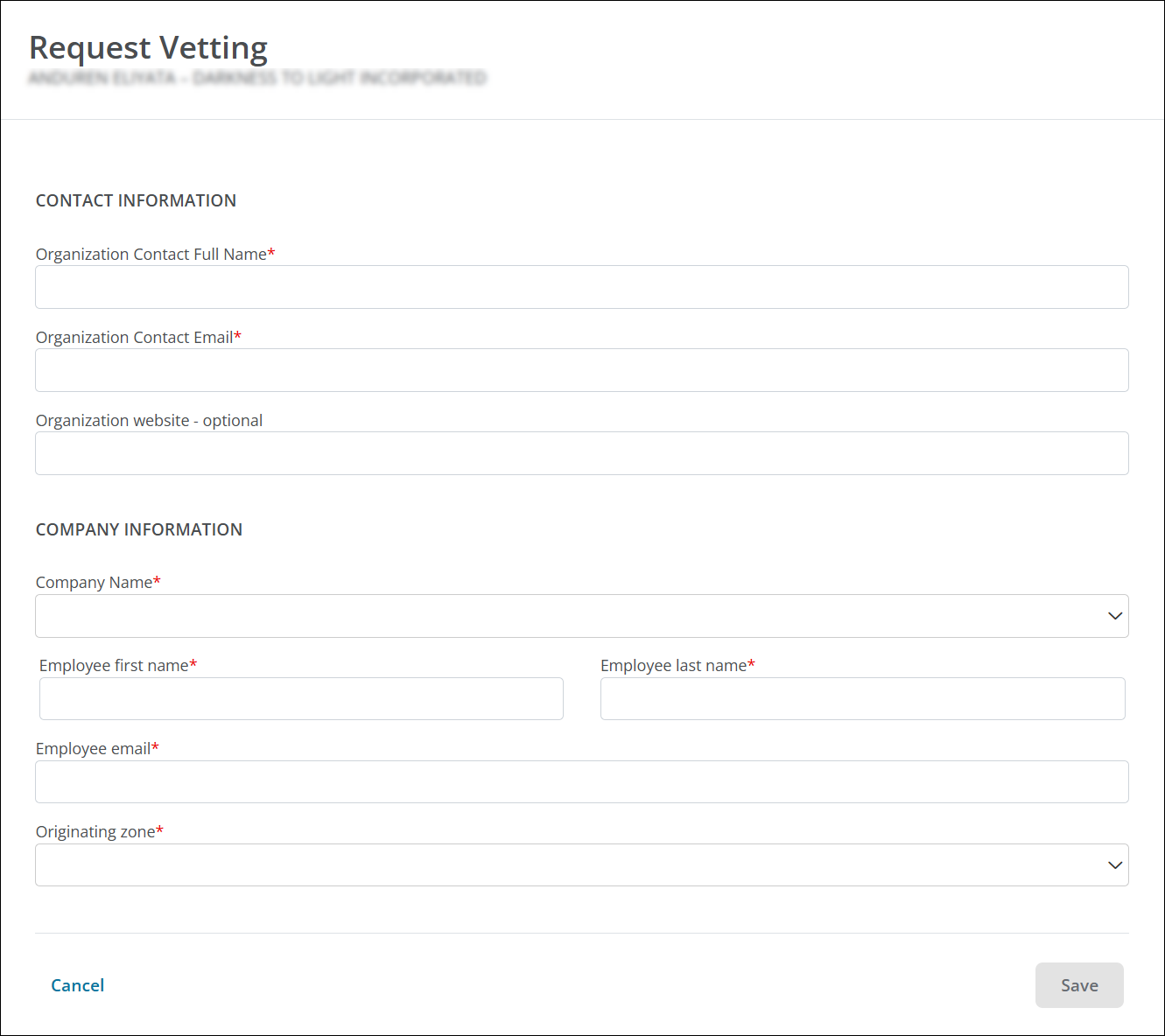
In the Request Vetting screen, provide the following details.
-
Enter the contact details for the prospective Nonprofit Administrator for the organization in the Contact Information fields.
-
Enter the requesting company's details in the Company Information section as well as where the request originated (CSRconnect, GrantsConnect).
-
-
Select Save to create the request.
After submitting, an email will be sent to the prospective Nonprofit Administrator notifying them of the Vetting Request and prompting them to register in Blackbaud Verified Network to proceed with their vetting application.
Submit request in bulk
-
Navigate to the Nonprofit Management > Domestic Vetting or Nonprofit Management > International Vetting area.
-
Select Import vetting requests.
-
In Step 1 of the Import Vetting Requests screen, select Download to export a template to use as the import
CSVfile.Tip: You can also select the Download Client IDs and Download Registration Authority IDs links to export copies of the respective IDs to help with completing the import file.
-
Complete the CSV file based on the Vetting Requests to be created.
-
Return to the Import Vetting Requests screen.
-
In Step 2, take the following actions.
-
Click on Select file to find and select the completed import file.
Note: The file will be automatically validated for proper formatting and required fields upon upload.
-
Correct any errors that appear. Errors will be listed on the screen and can be downloaded by selecting Download errors.
-
If any corrections were made, reupload the file.
-
-
Select Import vetting requests to finalize the import.
Vetting Requests for the nonprofits included in the CSV file will be added to the system upon import. An email will be sent to the prospective Nonprofit Administrator notifying them of the Vetting Request and prompting them to register in Blackbaud Verified Network to proceed with their vetting application.
Note: If there were any requests that could not be processed (e.g., records where the Client ID and Registration Authority ID do not match), you will receive an email with the nonprofits' details.