View Constant Contact Engagement Metrics
Note: This feature applies to organizations with an existing Constant Contact integration. See Constant Contact Integration.
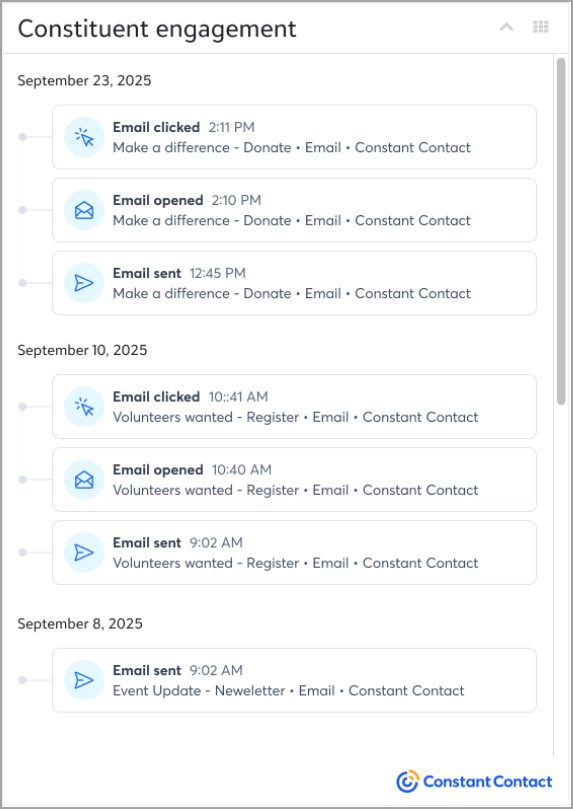
With the Constituent engagement tile in Raiser’s Edge NXT, you can view real-time Constant Contact email metrics directly on constituent records. Each tile displays up to 100 recent email interactions — including sent, opened, clicked, and bounced — along with the event type, timestamp, and campaign name.
Full details are available in Constant Contact's help documentation, Constituent Engagement Add-In.
Access and Permissions
Data in the tile follows your organization’s existing security settings. If multiple Constant Contact accounts are linked, activity from all accounts appears. If data isn’t available, a message with retry options displays.
Access Email Metrics
If you have an existing integration and selected the Allow data access button during setup, the tile automatically shows on constituent records.
To access the tile, complete the following steps:
-
Open a constituent record.
-
Scroll to the Constituent engagement tile.
-
Review recent email activity.