My Opportunities
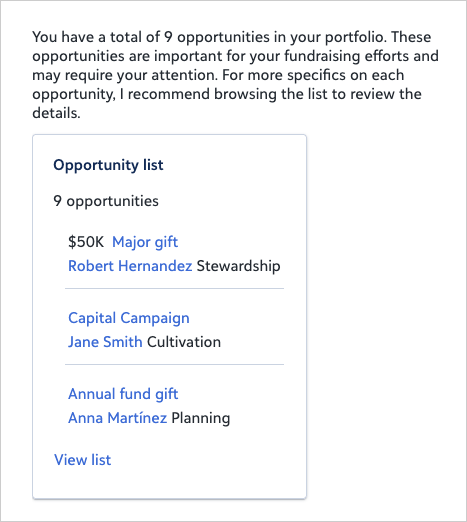
Get a clear, prioritized view of your prospect pipeline so you can focus on the right outreach at the right time. Results are automatically sorted by deadline, with the most time-sensitive opportunities at the top, so you can quickly see where to act without extra sorting or setup.
Refine your results by adding filters directly to the prompt so you can zero in on the opportunities that matter most.
-
Filter by date by specifying the date type you care about, such as deadline date, ask date, expected close date, funded date, or date added.. Each date type is independent, so be explicit. Examples: "with a deadline this quarter", "with an ask date in March", "expected to close by June", "funded in 2025", "added this year".
-
Filter by amount to zero in on opportunities at the right giving level. Examples: "with an ask over $50,000", "with expected amount under $10,000", "funded for more than $25,000".
-
Filter by status to see opportunities by where they are in the lifecycle. Common values include Active, Cultivation, Solicitation, Stewardship, Committed, Declined, Deferred, Research, Identification, Qualified, and Inactive.
-
Filter by purpose to focus on the type of opportunity you are managing, such as Major Gift, Annual Fund, Planned Gift, Scholarship, or Endowment.
-
Filter by likelihood using your organization's configured proposal ratings, such as Excellent, Good, Fair, or Poor.
-
Inactive opportunities are excluded by default. Add "including inactive" to include them.
 Tip: Select View list to sort, filter, and work with results in the full list view.
Prompt
If your organization doesn't use "Excellent" as a likelihood value, replace it with the appropriate value from your likelihood ratings.
|
List opportunities in my portfolio with a likelihood of Excellent and a deadline of this quarter. |
Sample Response