Portfolio Quality Overview
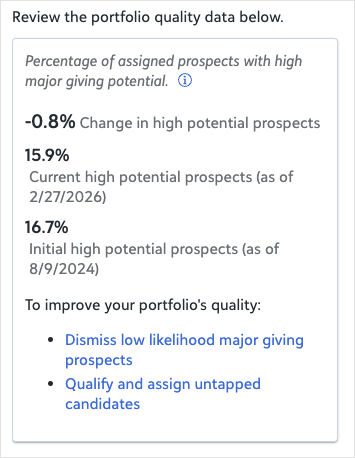
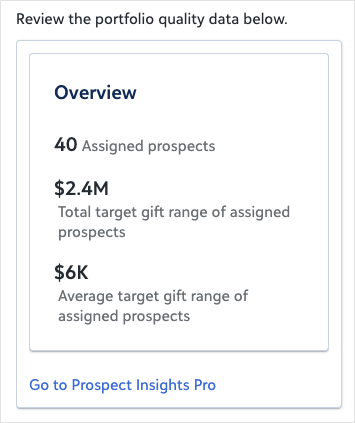
PremiumSee how your major giving portfolio is performing so you can identify which prospects to prioritize, who is ready to qualify, and where your pipeline needs attention. This prompt opens your Prospect Insights portfolio quality view, which shows the breakdown of your assigned prospects and their target gift ranges, and surfaces recommendations to help you take action on the right people at the right time.
You can follow up with more targeted questions to act on what you see:
-
Prioritize outreach: "Who are my top prospects to qualify?"
-
Manage portfolio health: "Who should I remove from my portfolio?"
-
Understand distribution: "Show me a summary of my major giving portfolio."
The response from this prompt depends on which version of Prospect Insights you have enabled. With Prospect Insights Pro, you get a full portfolio quality analysis powered by predictive data, including prospect counts, combined target gift ranges, and AI-driven recommendations on who to prioritize or remove. With Prospect Insights, you see a simpler summary of assigned prospects based on historical giving data, without predictive quality scores or removal recommendations.
 Tip: This prompt uses Prospect Insights. If it isn't enabled in your Blackbaud environment, you'll receive a message with a link that explains how to enable it.
Prompt
|
How is my major giving portfolio performing? |
Sample Response
With Prospect Insights Pro:
With Prospect Insights: