SMS Messaging with Development Agent
SMS allows your agent to communicate with constituents via text message in addition to email, while maintaining strict consent and compliance requirements.
Note: Sending SMS is currently available to United States organizations to send texts to United-States based 10DCL and Canadian numbers.
After you configure your agent for SMS and your carrier approves your agent's phone number (following a review of required Privacy Policy and Terms & Conditions), SMS becomes available as an outreach channel.
See also our SMS FAQs.
Consent
SMS is always explicitly opt‑in and is never used without confirmed constituent consent.
Consent is collected through a double opt‑in process designed to ensure transparency and regulatory compliance. Constituents must explicitly agree to receive SMS messages and acknowledge the organization’s Privacy Policy and Terms & Conditions. All consent actions are logged and retained for auditing and compliance purposes.
SMS Opt‑in
When SMS is enabled, your agent invites constituents to opt in to SMS during existing email engagements. A constituent can opt in by:
-
Replying to an agent email with their phone number, or
-
Selecting an opt‑in link and completing the consent form
The constituent receives a text message and replies START to confirm their consent to receive SMS messages and acknowledge the Privacy Policy and Terms & Conditions. The confirmation is recorded on the Consent tile of the constituent's record.
Once consent is confirmed, SMS becomes an available communication channel for the agent.
Note: Consent captured for the Development Agent applies to agent communications only.
Opt-in Flow
Constituents can opt in to receive SMS messages in one of two ways from an agent's email message: by selecting an opt‑in link or replying with their phone number.
-
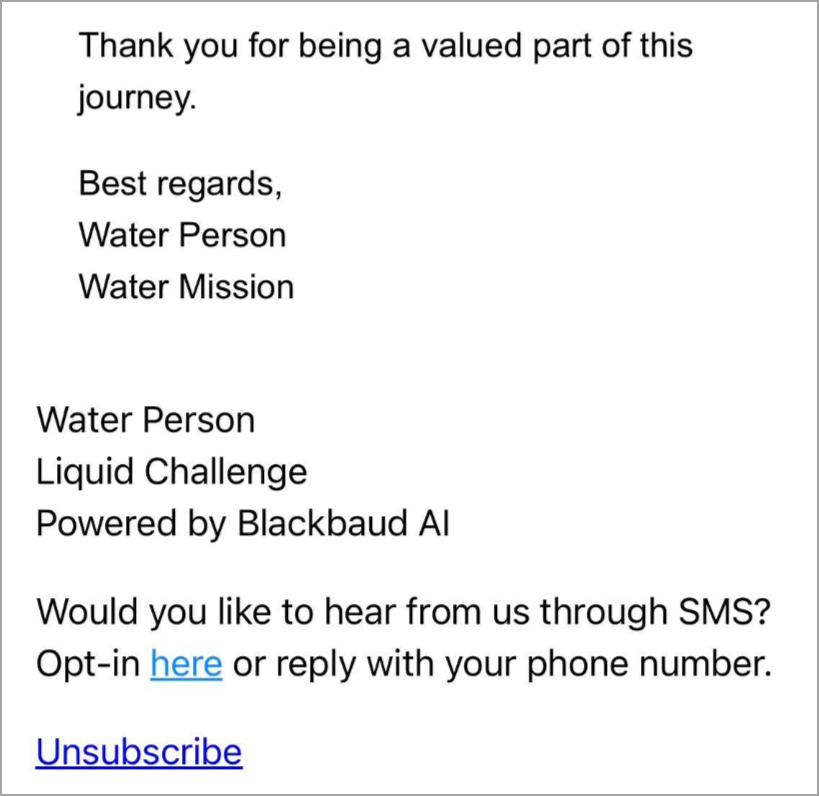
The constituent receives an email from the agent with SMS opt‑in information:
Would you like to hear from us through SMS? Opt-in [here] or reply with your phone number.
-
The constituent expresses interest by either replying with their phone number or selecting the opt‑in link.
-
(For email replies) After the constituent replies with their phone number, the agent sends another email with the privacy policy and terms and conditions.
-
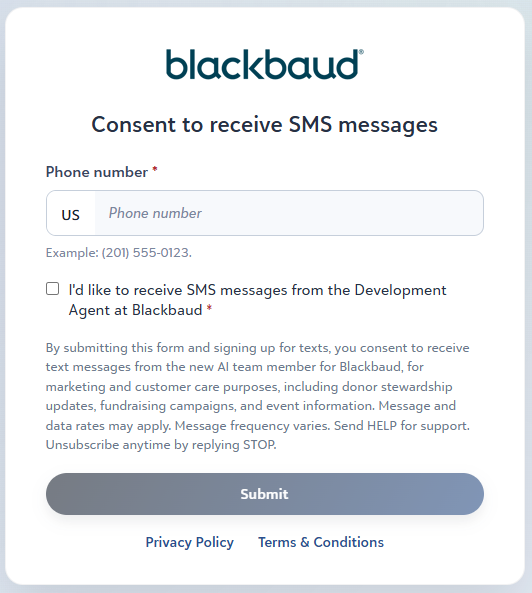
(For opt-in link) The link opens a consent form where the constituent enters their phone number, consents to SMS, and submits the form.
-
(Both paths) The constituent receives a text message and replies "START," confirming consent.
Once submitted, SMS becomes an available communication channel for that constituent. The confirmation is recorded on the Consent tile of the constituent’s record.
Note: The phone number is not captured in Raiser's Edge NXT, but is stored by the carrier.
Development Agent can use SMS for compliant outreach, including two‑way messaging, automated replies, and keyword‑based actions such as HELP and STOP, with full audit logging.
Ongoing SMS communication
After a constituent opts in:
-
The agent can use SMS for appropriate, context‑based outreach.
-
Constituents can reply directly, since SMS supports two‑way messaging.
-
Constituents can request information by replying "HELP," or opt out with "STOP."
Timing and delivery
By default, SMS messages are sent at 3:00 PM Eastern Time.
SMS opt‑out
Constituents can opt out of SMS messaging at any time. Replying "STOP" immediately suppresses all future SMS messages to that phone number. Constituents may also request opt‑out by contacting the organization directly or by responding via email.
Opt‑outs are recorded using your configured consent code and appear on the Consent tile of the constituent record.
Note: Opting out of SMS does not unassign the constituent from Development Agent or remove them from email‑based engagements.