Assign Grant Program Workflows
Assign a workflow to define how applications move through a grant program. A clearly configured workflow helps your team review applications efficiently, route work to the correct users, and maintain consistent decision processes.
The Default Workflow determines the overall path that applications follow after submission. Setting it early ensures applications route correctly from the start and reduces rework.
Warning: You can change the Default Workflow only before the program receives applications.
Set the Default Workflow
-
Navigate to Applications, Programs.
-
Create a program or open an existing program.
-
Select Workflow.
-
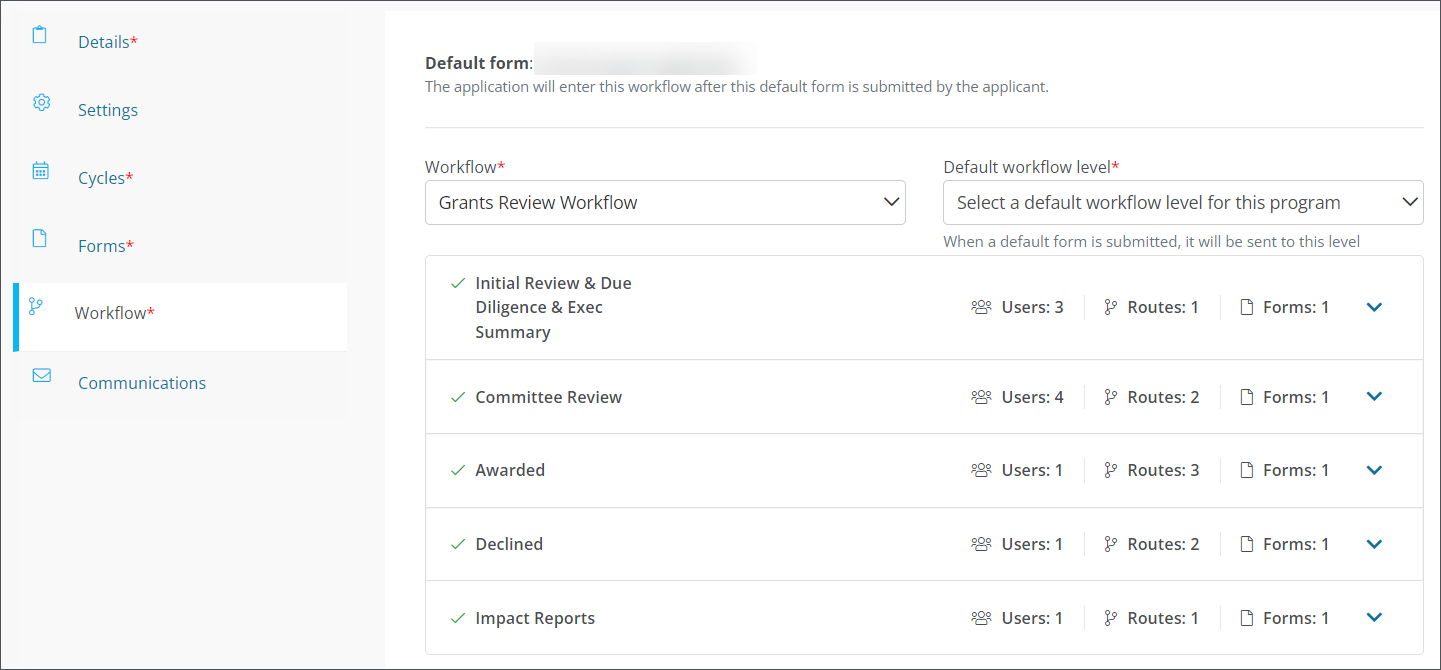
Select the workflow for the program.
-
Save your changes (e.g., Save as draft, Save and publish).
After you save, the workflow levels appear on the program’s Workflow area so you can review how applications will progress.
Default Workflow Level
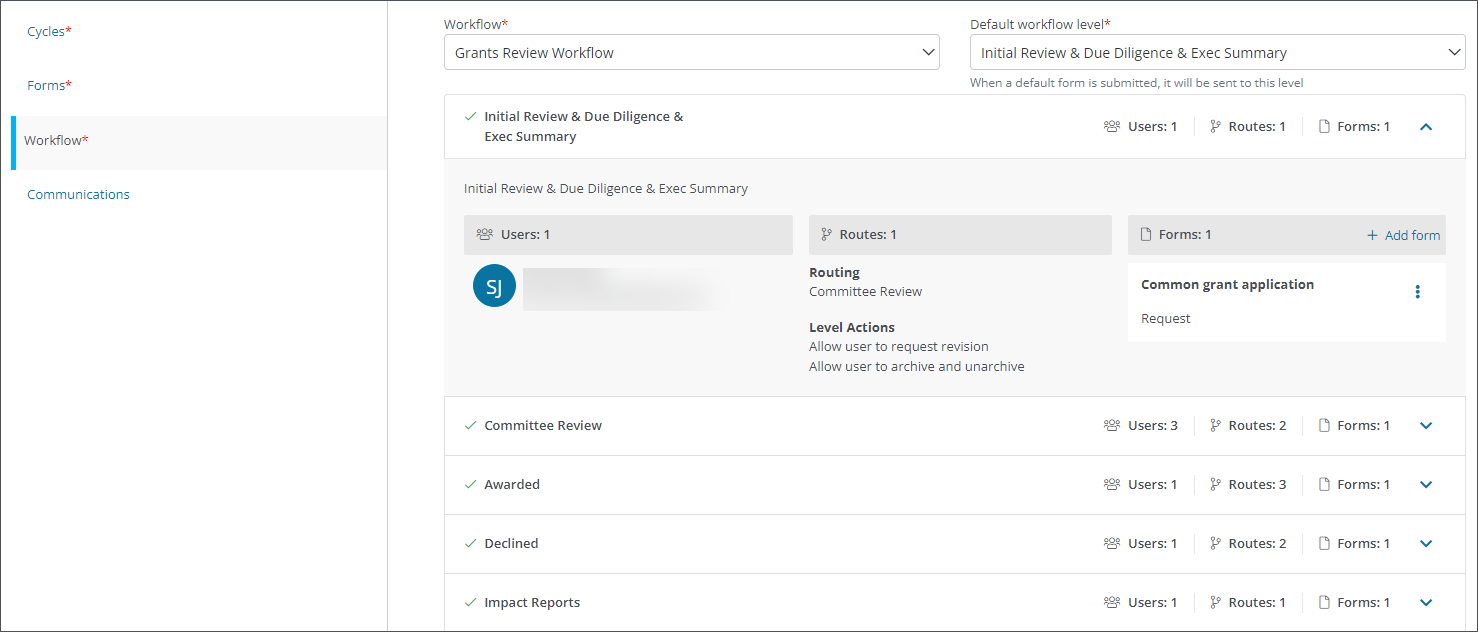
The Default workflow level defines where submitted applications begin within the workflow. Choosing the correct starting level helps ensure reviewers receive applications at the appropriate stage, which supports faster processing and clearer accountability.
Note: You can update the Default workflow level at any time, even after applications are submitted.
Set the Default Workflow Level
-
Navigate to the program’s Workflow area.
-
Select the starting level from the Default workflow level option.
-
Save your changes (e.g., Save as draft, Save and publish).
After the program is published, submitted applications automatically move to this level. Assigned users can then review, take action, and route applications to the next level.
Additional Considerations
-
Workflow users and routing rules are managed in the Workflows area. For more details, see Workflows.
-
The form selected as the Default Form appears in each workflow level. Update forms at each level to support your review process and data collection needs.
-
Adjust workflow levels to align with your organization’s review stages, approval requirements, and team responsibilities.