What's New - GrantsConnect Release 2.50.0
Note: This release is scheduled for June 3, 2022 with UAT updated at 5 PM ET and Production at 8 PM ET.
The latest release of GrantsConnect includes our new Program Automation feature as well as functionality to create or close budgets in bulk. Additional enhancements like new sorting options for custom data tables and the ability to add page breaks to document templates are also available.
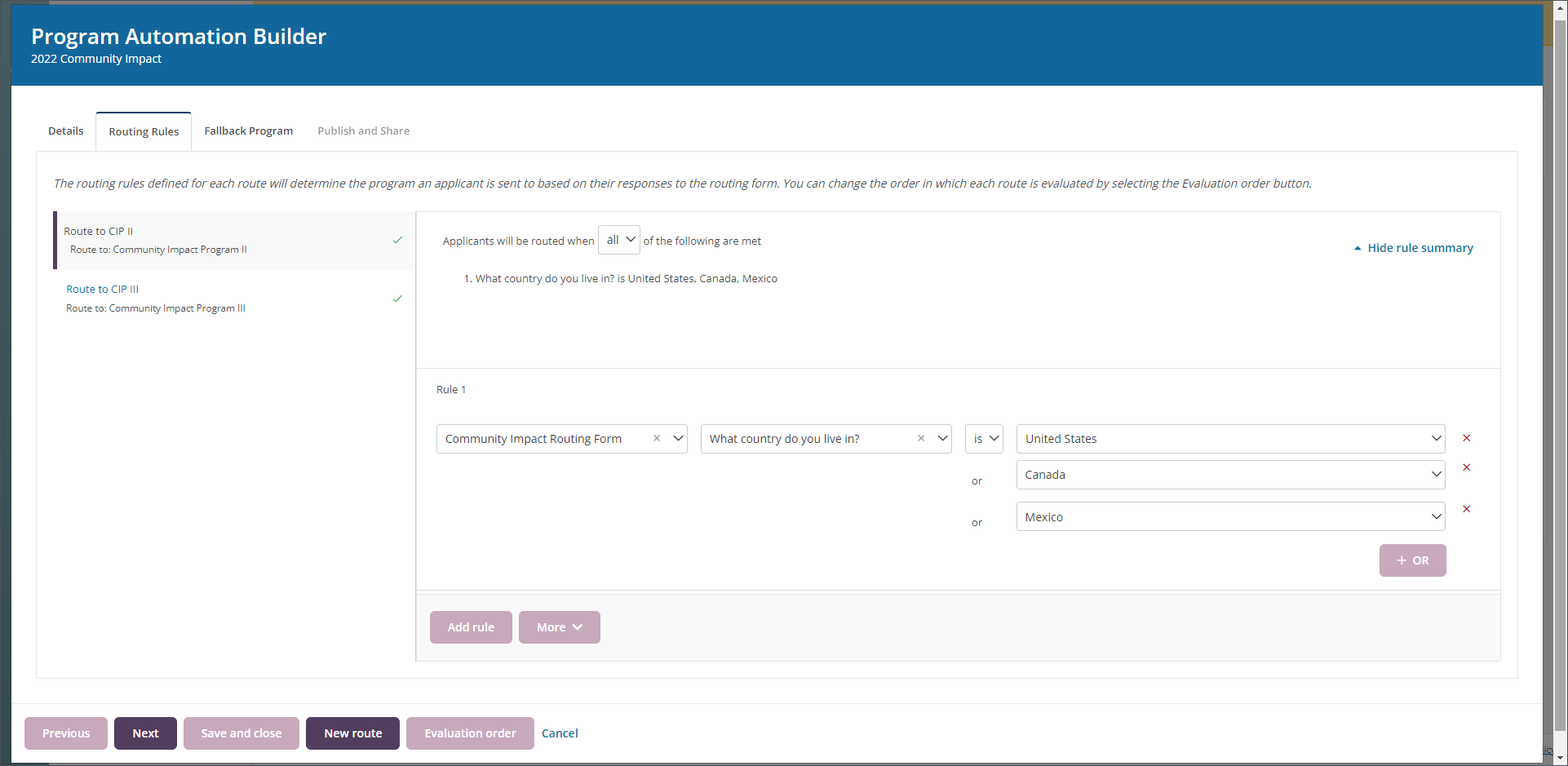
New feature allows you to guide Applicants to appropriate grant programs using automation and routing rules
Grant Managers now have the ability to create Program Automations, a process that automatically guides your Applicants to available grant programs based on their form responses. This seeks to reduce the number of Applicants that apply to incorrect programs and helps make them aware of other programs that may be available to them.
Program Automation involves creating a Routing Form that will be completed by the Applicant, building Routes to specific programs using routing rules, and sharing the unique automation URL with Applicants to begin applying. Applicant responses will be evaluated against the routing rules you define, directing them to apply to the grant program that is a match. To further customize the experience, you have the option to specify a fallback program or custom message should their responses not match any available programs.
Note: For more information about this feature, see our Program Automation resources.
Expedite implementation and year-end processes by creating and closing budgets in bulk
New functionality is available in GrantsConnect that allows you to perform the following bulk actions for budgets:
-
Quickly create new budgets in bulk by importing a
CSVfile that defines the budgets' details, funding sources, and allocations. Learn more. -
Close multiple budgets at once by selecting them from the Program Setup > Budgets > Open Budgets tab and choosing the Close option from the bulk action toolbar. Learn more.
Easily insert page breaks into document templates
You now have the option to insert page breaks into a document template, helping you better manage lengthy content and control how it is presented in the final document. Learn more.
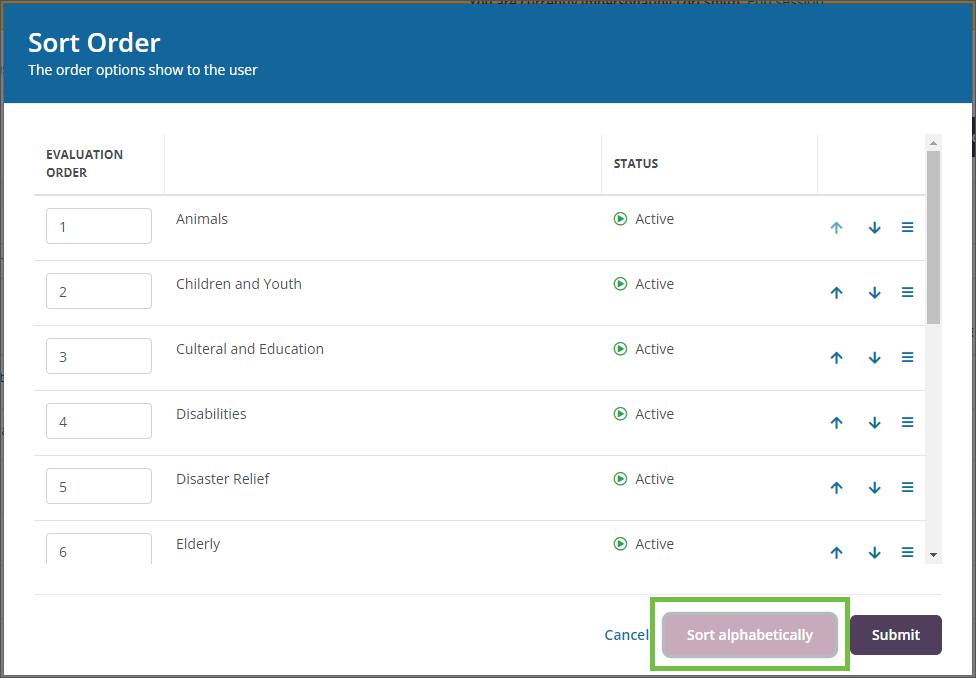
Automatically sort custom data table options alphabetically
The options in a custom data table can now be sorted alphabetically, allowing you to quickly customize form fields without requiring you to manually adjust the list’s order. Additionally, the sort order will automatically adjust when the order’s numeric value changes or a new option is added to the data table. Learn more.
Additional updates
-
Payments that have been canceled during processing will now automatically update to Voided rather than continue to show a status of Processing. Previously, this was a manual process.
-
Various back-end updates to help improve the performance of custom forms.
Join the GrantsConnect Community
The Blackbaud Community is a private group for users of YourCause CSRconnect and GrantsConnect. These private communities are accessible via invite-only. Once you’re in, you’ll have access to:
-
CONNECT – Keep in touch with the Global Good Network via discussion board chats.
-
LEARN – Get the latest product updates and resources.
-
ENGAGE – Get access to product events.
Join the GrantsConnect Community now!
Note: The link above will direct you to the Blackbaud Community. On that page, click the Join the YourCause GrantsConnect community button to access the community. You must sign in with your Blackbaud Community email address and password. If you do not have one, select Sign up and follow the prompts.
If you have any questions or issues joining, please email community@blackbaud.com.