Link Manager
Use Link Manager to scan your Luminate Online site and generate a list of links found in your digital resources. This helps you identify links that need to be updated to HTTPS and maintain healthy links across your site over time.
Warning: Major browsers, such as Chrome, will soon require all public websites to use HTTPS. Starting in October 2026, insecure pages will trigger warnings or fail to load. Update your currently listed HTTP links to their full HTTPS versions using the Link Manager edit functionality as soon as possible to prevent future link access errors.
Run Link Manager
-
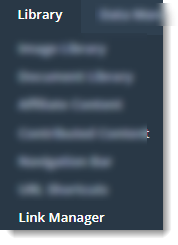
Select Library and Link Manager.
-
Select Run Link Manager Task.
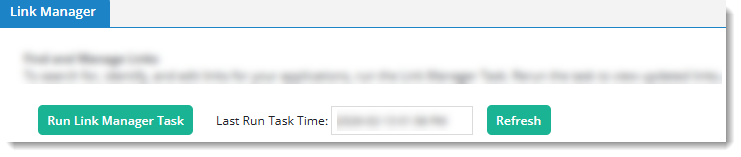
Tip: The task runs in the background. You can leave this page and return later to review the results. To confirm that results are current, check the Last Run Task Time.
-
Optional. Use filters to narrow the results.

Review the Link Manager list

Each row in the Link Manager list represents a single link and includes the following information.
-
Application Name: The application where the link is used
-
Object Name: The object or page where the link is located
-
URL: The destination URL
Note: Select the copy icon to copy the URL to your clipboard.
-
Link Tag: The link tag type
-
Display Text: The visible link text that constituents select
-
Internal: Whether the link points to another resource managed within your Luminate Online environment
-
Last Updated: The date the page containing the link was last updated
-
Active: Whether the page containing the link is active
-
Actions: Available actions
-
Edit opens the location where you can update the link. For instructions on updating links in that application, select Help at the top of the page.
-
View opens the live page as constituents see it. Not all object types include this action.
-