Run Text Message Reports
Use this page to generate, review, and download reports on your text messages sent with Nuclavis in Luminate Online.
Available Reports
-
Performance Summary Report: Compare message performance across campaigns.
-
Performance Details Report: View recipient details, delivery status, message type, and user actions such as click-through and unsubscribe.
-
Recipient Activity Report: Track all messages sent to a specific user, including actions taken.
Run a Report
-
Under Related Actions, select Reports.
-
Select a report type, then select Next.
-
Apply filters:
-
For a Performance Summary Report or Performance Details Report:
-
Campaign: Select a campaign from the list.
-
Message(s): Select one or more messages to include in the report.
-
Date range: Select the from and to dates for the reporting period.
-
-
For a Recipient Activity Report:
-
-
Select Generate Report to display the results.
-
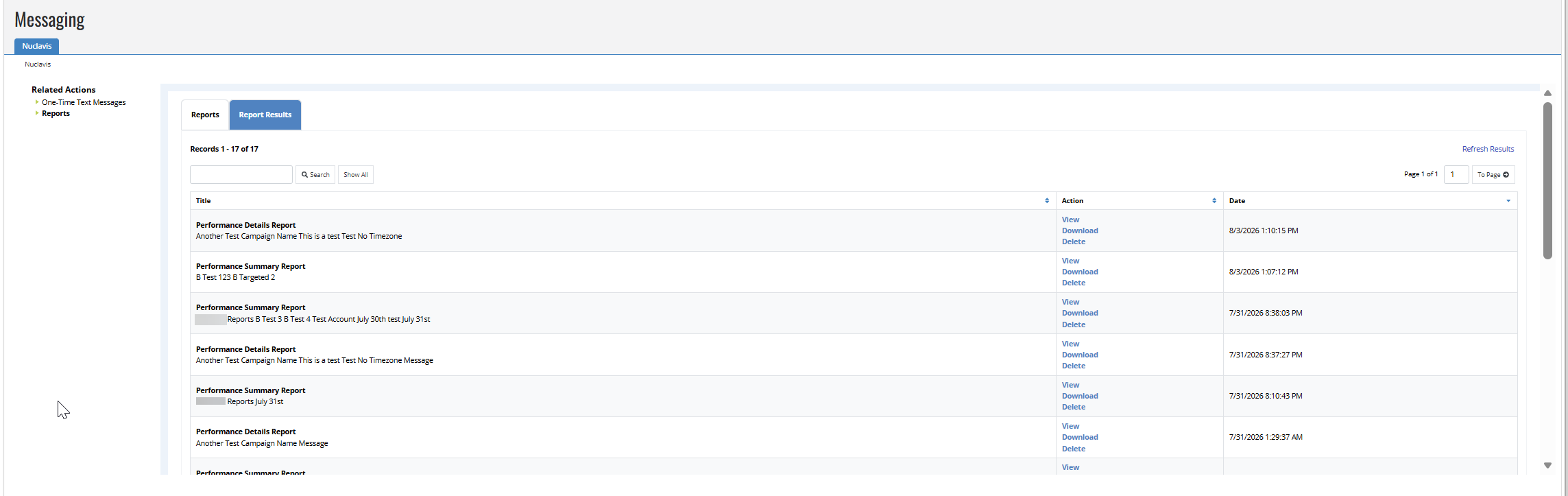
Select Report Results to view the generated report. After the report finishes processing, select View, Download, or Delete to manage it. Each report also shows the date and time it was generated.
-
To filter the list, enter a term in the search box, then select Search. Select Show All to clear the search and display all reports again.
-
Select Refresh Results to update the list with newly generated reports.
-
Select Download to export a report as a CSV file for further analysis.