Fix a BBPOS Chipper Connection
To fix a slow or failed MobilePay Terminal connection to a BBPOS Chipper from an Android device, follow these one-time setup steps.
-
From your mobile device's settings, open your Bluetooth settings and scan for nearby devices.
-
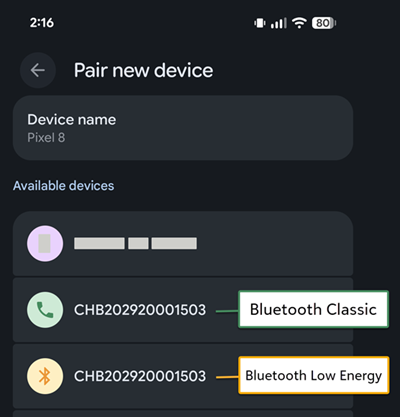
For a BBPOS Chipper, at least two entries appear:
-
One connects with Bluetooth Classic, represented with a phone icon.
-
One connects with Bluetooth Low Energy, represented with a Bluetooth icon.
-
-
Select the Bluetooth Classic connection.
-
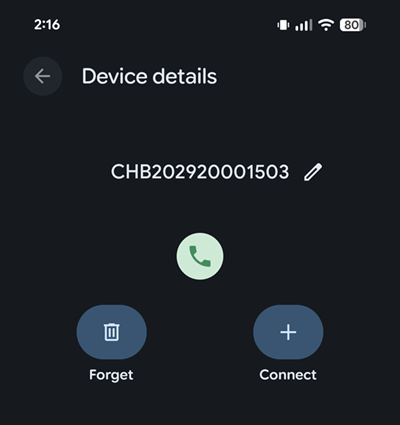
If a pair code appears, select Pair.
-
Confirm that the Chipper appears as a connected device.
-
Return to MobilePay Terminal and follow the steps to connect to a terminal.