Prepare for Fall Appeal Outreach
New Premium Prompt chainFind which donors in your portfolio already supported a specific appeal, get an AI-recommended ask amount with the reasoning behind it, then draft a tailored email and schedule a follow-up, all in one conversation.
This workflow is built for re-solicitizing known appeal donors during a new campaign push. Start broad, your portfolio, a named appeal, and a time frame like "last year's," to get a qualified donor list. Once you name a specific donor from that list, the ask amount recommendation draws on their real giving history, so the more specific the donor reference, the more grounded the rationale.
The ask amount recommendation uses Optimized Opportunities, a Premium feature that requires Prospect Insights Pro. If your organization doesn't have Premium, skip the second prompt and ask Blackbaud AI Chat to summarize the donor's giving history instead.
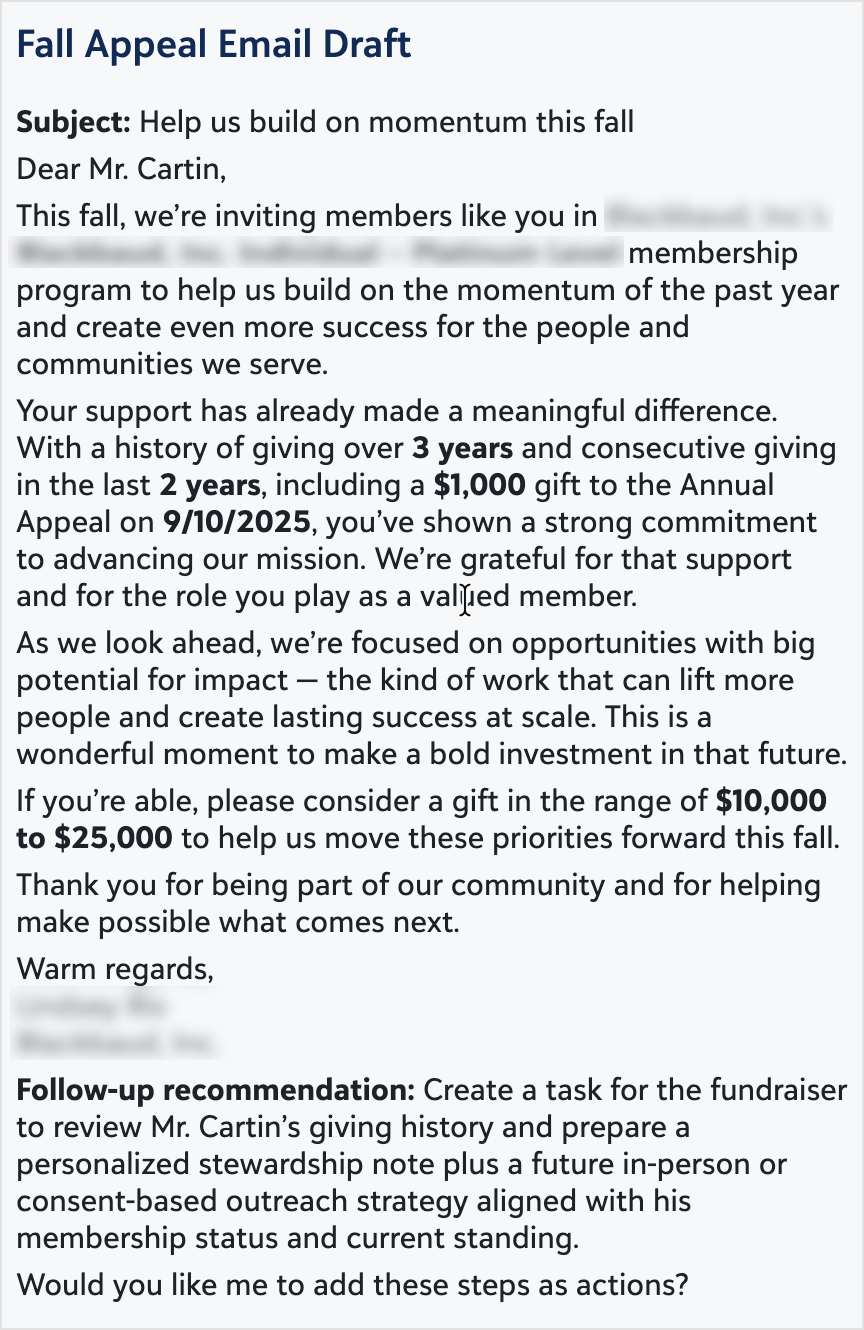
Note: The last prompt asks for two things at once: a drafted email and a follow-up action. The response reliably returns the email draft; if a follow-up action isn't created automatically, ask for it separately, for example "Create a follow-up action to check in with this donor next week."
 Tip: Name the appeal and the year explicitly, for example "the 2025 Fall Gala Appeal," so the donor list pulls from the right giving period.
Prompt
|
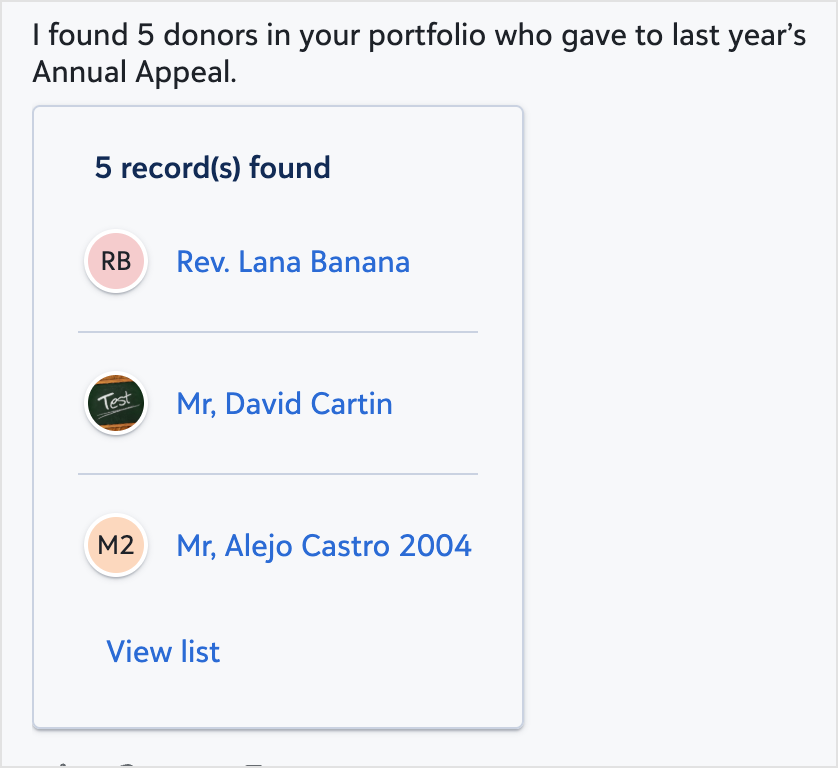
Which of my donors in my portfolio gave to last year's [Appeal Name]? |
Open and review the list, then open the specific donor's record you want to focus on before asking the next prompt.
|
For [NAME], suggest a personalized ask amount based on giving history and explain the rationale. |
Once you have an ask amount and rationale you're comfortable with, turn it into outreach.
|
Draft a fall appeal email tailored to this donor and create a follow-up action. |
From donor list to a ready-to-send email and a follow-up reminder, all without leaving the chat.
Sample Response
Prompt 1
Prompt 2

Prompt 3