Edit Layout Components
Edit layout components to improve structure, readability, and flow without rebuilding the page. Updating component settings helps you align form layout with program requirements and audience needs.
For broader layout guidance, see Add and Manage Layout Components. If you need detailed setting definitions while editing, open Configure Forms and Form Fields.
-
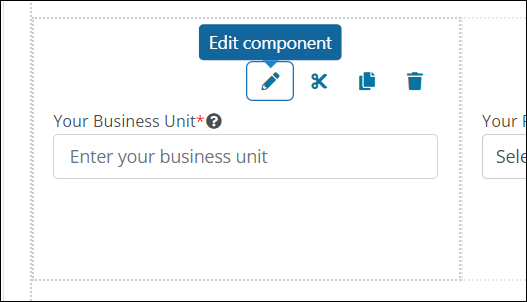
Hover over the component on the form page.
-
Select the Edit component icon from the toolbar that appears.
-
In the Configuration screen, update settings as needed.
Note: Available options vary by component, but commonly include Details, API, and Display. For option definitions and examples, see Configure Forms and Form Fields.
-
Save your updates.