What's New in Blackbaud Verified Network for YourCause Admins
Blackbaud Verified Network adds new and improved features throughout the year. Below is a list of updates released so far.
Tip: These updates only apply to internal users like YourCause admins. To view nonprofit-facing release notes, see What's New in the main Blackbaud Verified Network Help.
March 23, 2026 - 1.132.0 release
 Updates to documents accepted for Admin Registration
We updated the documents we accept for proof of identity and role verification when registering as an admin for a nonprofit organization. Some documents, such as employee badges and paystubs, are no longer accepted.
To see the current list of accepted options, review Documents Accepted for Role Verification and Proof of Identity in the main Blackbaud Verified Network Help.
March 9, 2026 - 1.131.0 release
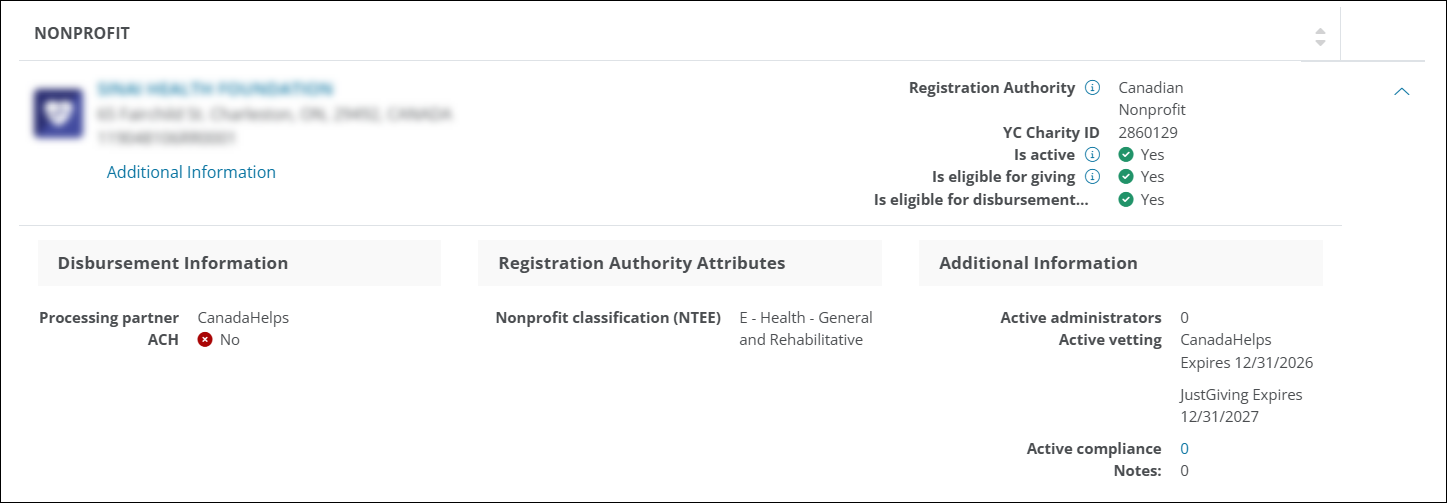
Vetting expiration displays in internal nonprofit search
You can now view every vetting authority that currently approves a nonprofit organization in internal search results. When you search for an organization, the Active vetting attribute in the extended result lists every authority that currently vets the organization. If an authority includes an expiration date, the date displays. For example, if Canada Helps and Just Giving both vet the organization, the attribute lists both.
February 23, 2026 - 1.130.0 release
Reactivate canceled domestic vetting applications
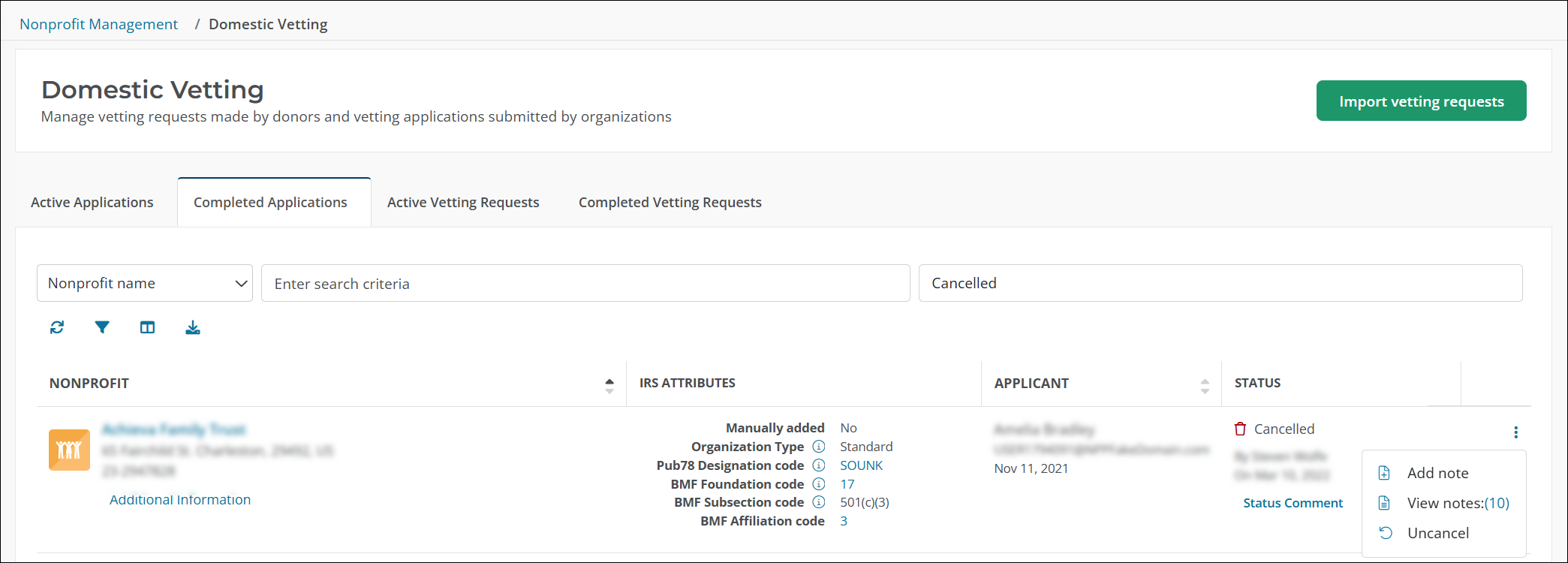
Internal users with the Compliance role can now reactivate a canceled domestic vetting application. This update helps teams correct cancellations and keep application reviews moving.
To reactivate an application, open Nonprofit Management, open Domestic Vetting, and select the ellipsis next to the canceled application to select Uncancel. The application status returns to its previous active status, such as Draft or On Hold. The applicant receives an email message that the application is active again and can be completed and submitted for review.
February 9, 2026 - 1.129.0 release
GIACT response codes that indicate incorrect bank ownership or unverified accounts are automatically rejected
We’ve enhanced the bank account verification process to save time and reduce risk. When GIACT returns specific response codes, the system now automatically rejects the request instead of routing it to manual review.
-
CA01 (CustomerResponseCode): Bank ownership details don’t match the bank document. We only disburse to the legal entity on file.
-
RT00 (AccountResponseCode): Unable to locate the bank account. Please resubmit with correct information.
This update removes manual reviews, accelerates processing, and strengthens compliance by enforcing ownership rules—giving nonprofits faster feedback and freeing YourCause admins from repetitive tasks.
January 26, 2026 - 1.128.0 release
This update does not add new features for internal users. It improves processes behind the scenes to keep the system current and ready for future updates.
January 12, 2026 - 1.127.0 release
Enhanced filters and easier access to comments in the Partner Vetting area
Track partner vetting applications faster with new filters and instant access to key details. In the Nonprofit Management, Partner Vetting area, internal admins can now:
-
Filter smarter: Use expanded options like All Active Statuses, In Progress, On Hold Pending Billing, Routed to Vetting Authority, Approved, Cancelled, and Declined to focus on what matters.
-
Get context quickly: For records with notes or status comments, select the ellipsis icon and choose Notes or Comments to view details in a modal without leaving the page.
These updates give you clearer insights and better control, so you can monitor progress and make confident decisions.
Tip: As part of this release, we've redesigned the My Account area used by nonprofit admins and managers. We recommend reviewing the release notes for nonprofits to learn about this new experience.
Tip: View details about previous releases in What's Recent in 2025 and What's Recent in 2024.