Update Disbursement Name and Address for Checks
For organizations that receive paper checks, checks are sent to the disbursement name and address on file in your account. These default to your organization’s registered name and address. Update this information if you use a different address for disbursement.
Before You Start
-
You must be a nonprofit administrator for your organization.
Tip: If you are not an administrator, see Become a Nonprofit Administrator for registration instructions.
Edit Disbursement Name and Address
-
Sign in to Blackbaud Verified Network - Go to https://app.blackbaud.com/npp/. Sign in using your Blackbaud ID (BBID) account.
-
View disbursement information - Select Administration, then Disbursement Information.
-
Edit disbursement address - In Disbursement Information, select Edit disbursement address and enter your updated details.
Note: If a check was returned by USPS and the address on file is already correct, select Address is correct instead of re-entering the same address. This option is available only for eligible returned-check cases and no newer address request already exists.
-
Enter the organization name and address to use for disbursement.
Warning: Enter an organization name. Requests with personal names aren’t approved.
-
Optional - Select This is our display address to also use this as the display name and address on your Nonprofit Profile.
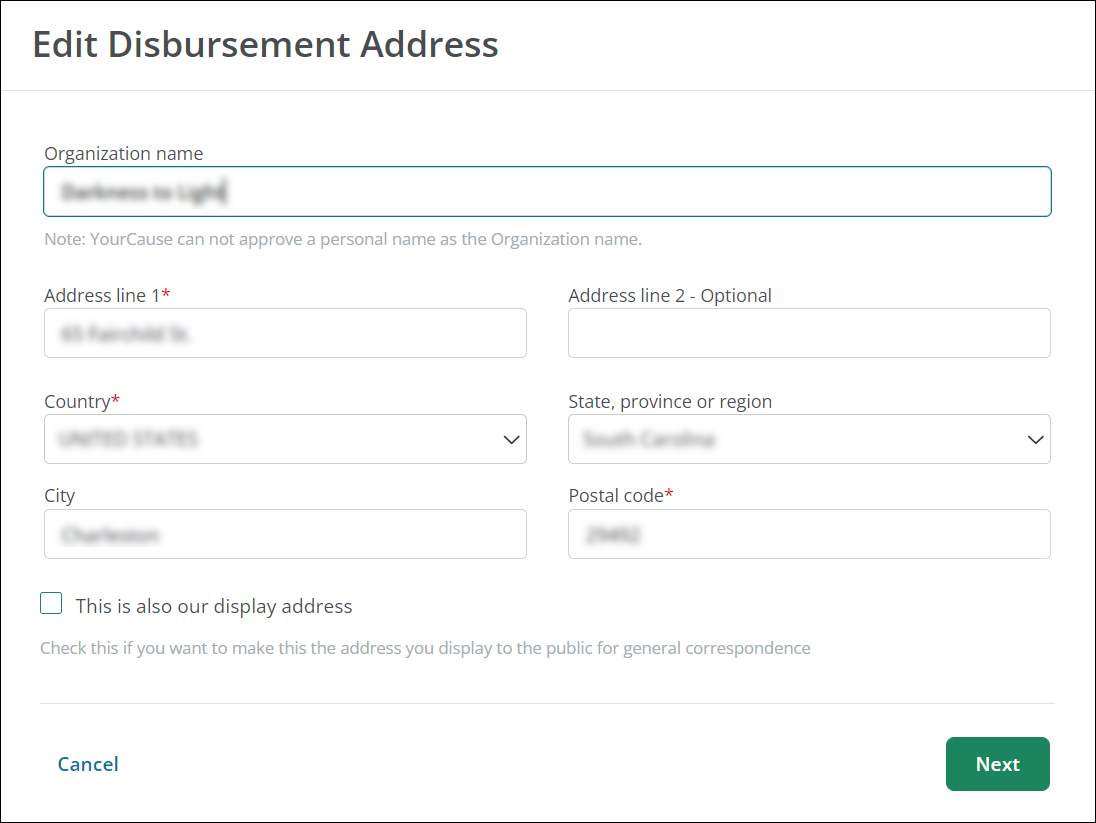
-
Select Next.
-
In Proof of New Mailing Address or Name Change, upload two documents as proof of the new mailing address and name change. Acceptable documents include:
-
Utility bill
-
Voided check
-
Bank statement or letter
-
Government-issued documents - Examples: tax returns, 990, or confirmation of address change
-
USPS confirmation of address change
Warning: Documents must show the new mailing address or name and be provided by a third party. Organization-created documents aren’t accepted.
Note: If your organization can’t provide documentation, contact Blackbaud Verified Network Support.
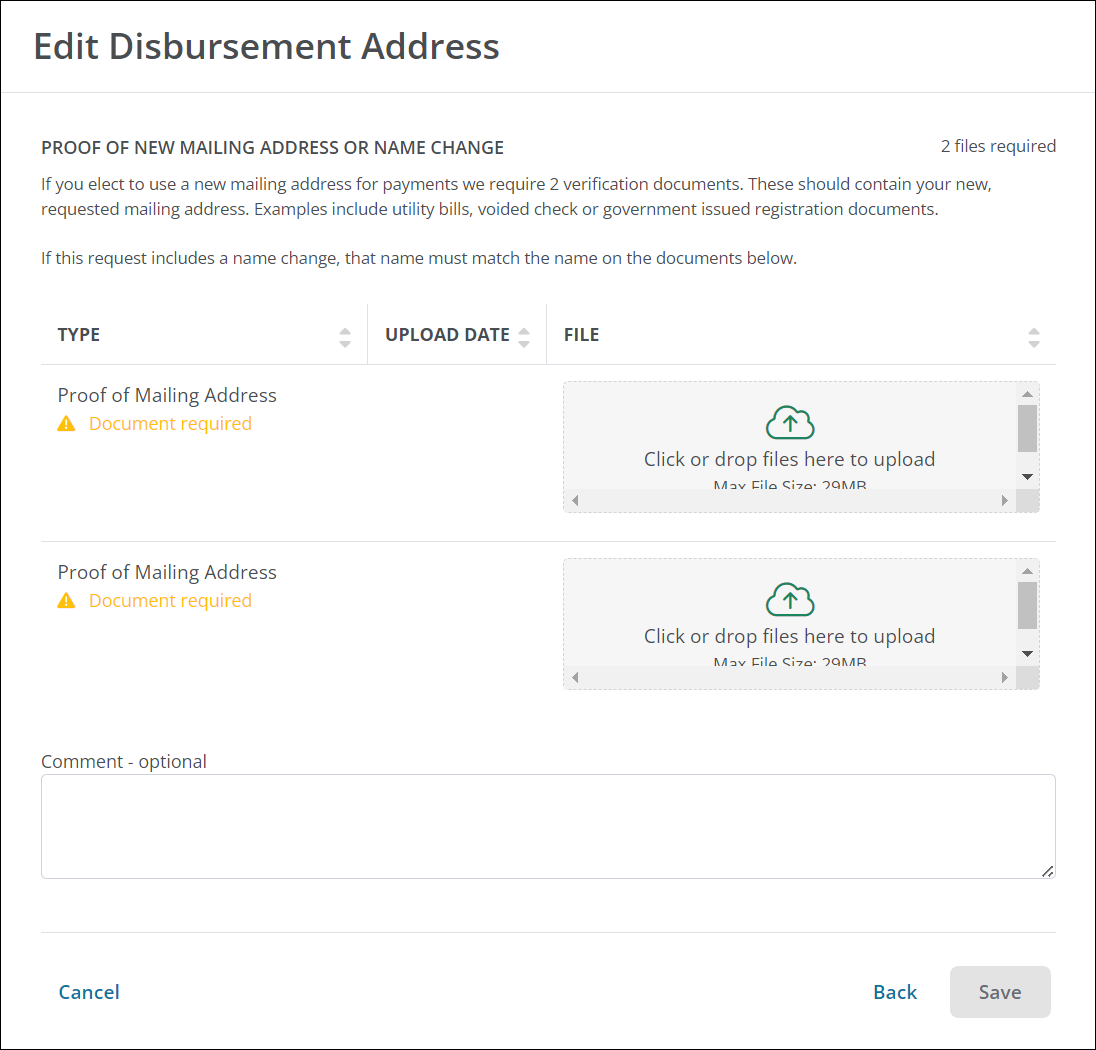
-
-
Optional - Add a comment to submit with your request.
-
-
Submit bank details for review - Select Submit.
Tip: We typically review your information and documentation within 72 business hours. We notify you by email when the review is complete. A sample of the approval email is available in Email Preview: Nonprofit Disbursement Address Change Approved.