What's New - GrantsConnect Release 2.58.0
Note: This release is scheduled for September 23, 2022 with UAT updated at 5 PM ET and Production at 8 PM ET.
The latest release of GrantsConnect features a new first-time experience help modal in the Applications area, the option to convert form fields from Text to Date, the ability to display workflow levels and Nominator data on Ad Hoc reports and dashboards, and updates to modal styling.
In-app help enhancements
 New first-time experience help modal in the Applications area
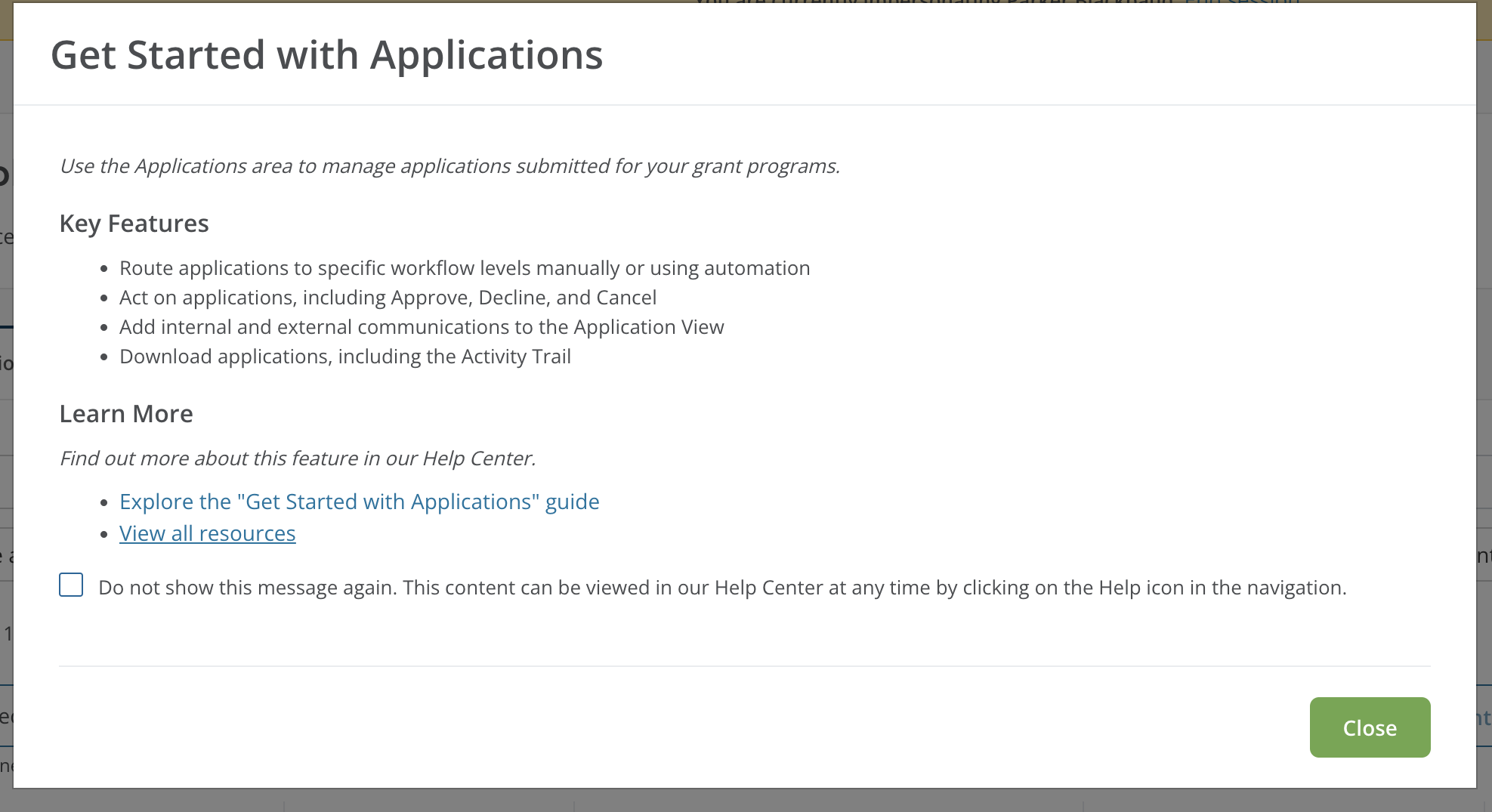
With this release, a first-time experience modal is now available in the Applications area. This new feature is an expansion of the self-support options currently available to clients and users in GrantsConnect.
The Get Started with Applications modal seeks to empower users who are new to managing applications or simply want to learn more about what can be accomplished in this area. It presents the following information:
-
Brief overview of what the Applications area is used for
-
Key features
-
Link to our Get Started with Applications guide for Grant Managers
-
Link to other relevant resources in the Help Center
Unless dismissed, the first-time experience modal appears each time you go to the Applications area.
Custom forms
Easily convert form fields from Text to Date
You now have the ability to convert field types from Text to Date without requiring complex calculations or conditional logic. This can be used to update fields that were built as Text but should have been a Date field, ensuring they are properly formatted and perform as expected during configuration.
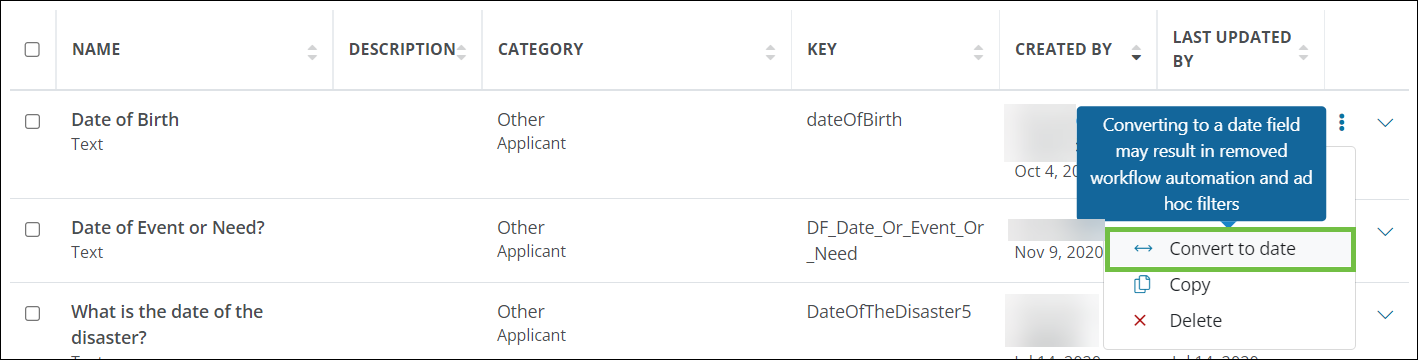
Note: Converting a form field may have an impact on conditional logic, Ad Hoc and dashboard filters, and automation rules. Additionally, any Text fields with invalid or improperly formatted dates may be cleared when converted to a Date field. Learn more.
Tip: With this update, you can also convert field types from Date to Text. It is important to note that conversion may have an impact on conditional logic, Ad Hoc and dashboard filters, and automation rules.
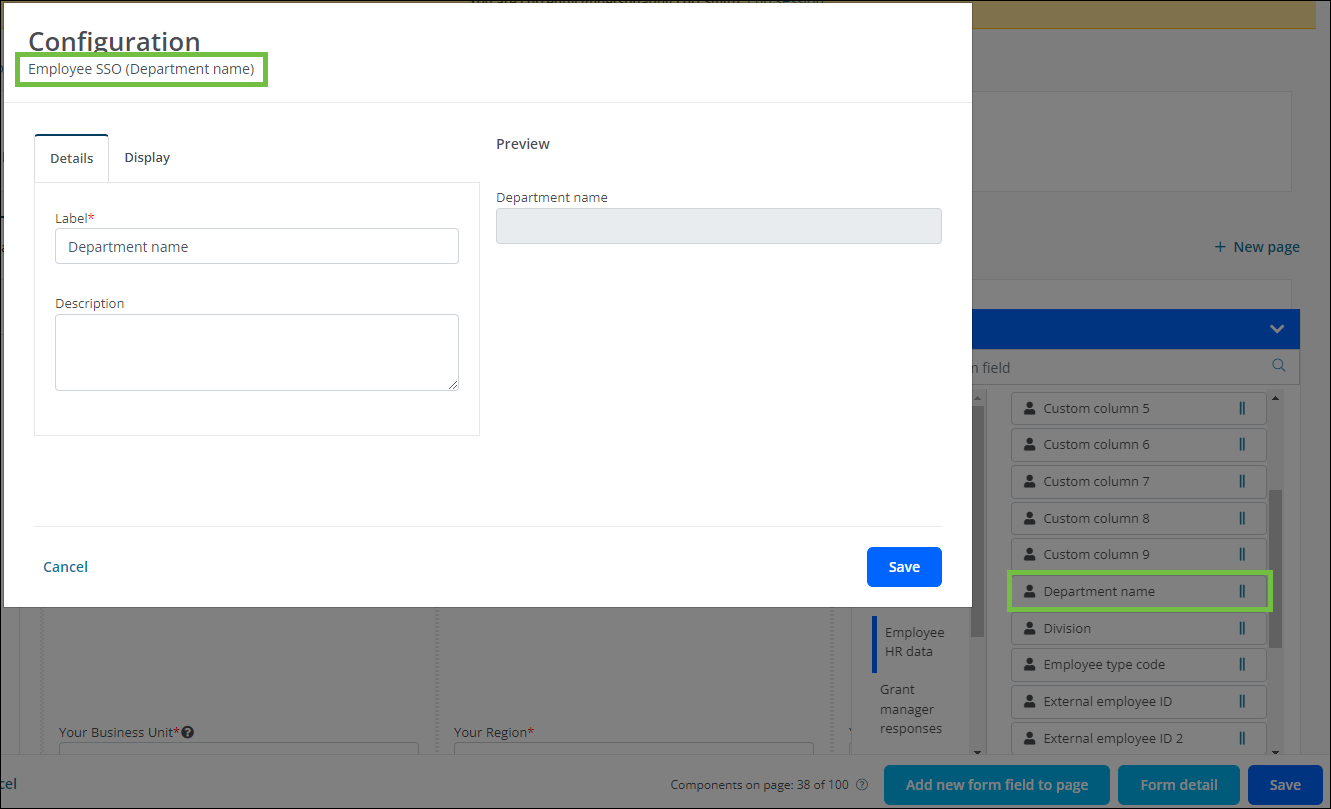
Field type (e.g., Department name) now displays in the Configuration screen when editing Employee SSO fields
When adding an SSO field from the Employee HR data group in a custom form, the field (i.e., Custom column 1, Department name, External employee ID, etc.) being used now appears next to Employee SSO in the Configuration screen.
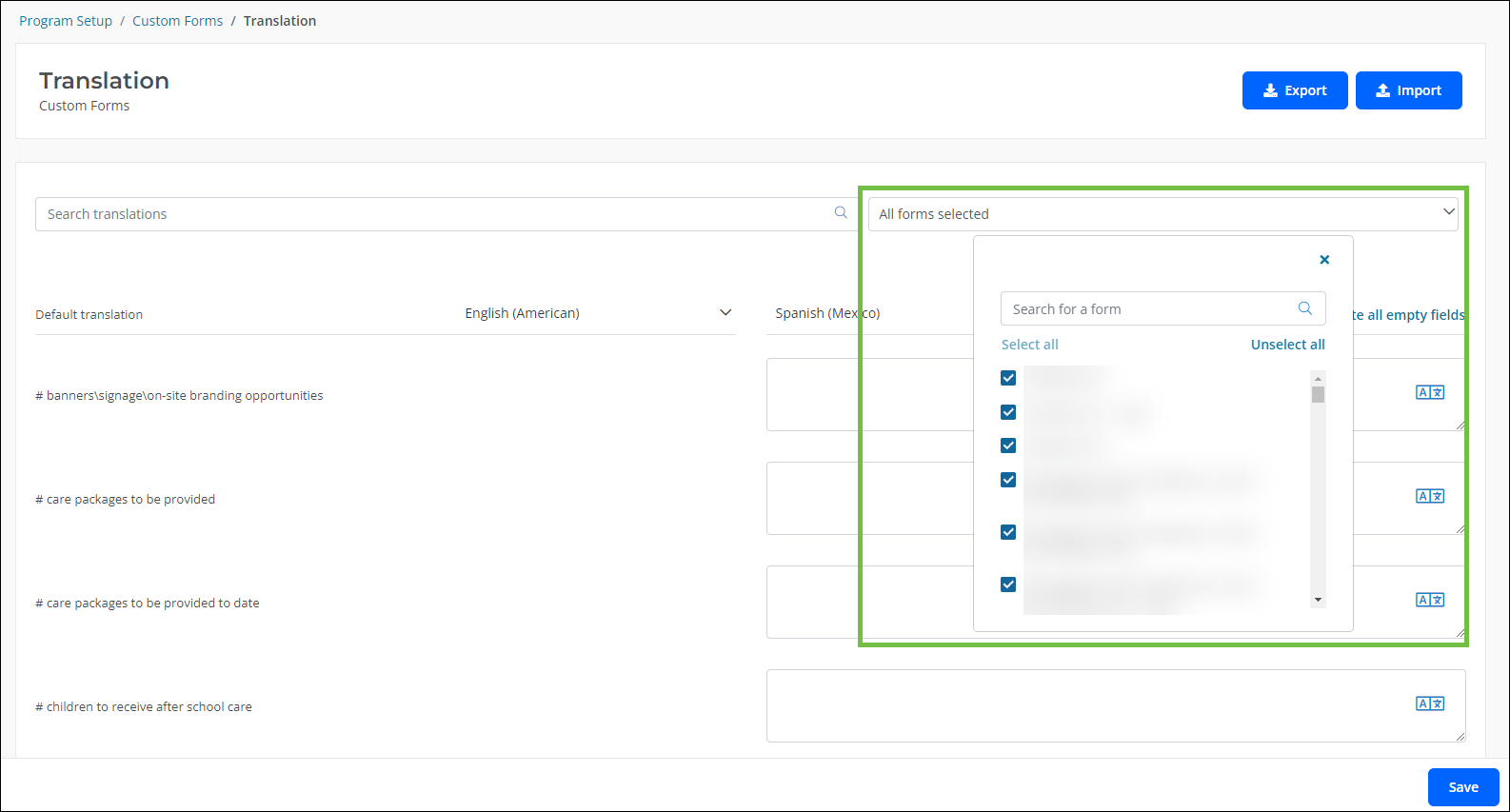
Added option to “Select all” or “Unselect all” when choosing forms for translation
In an effort to better support users translating multiple forms at a time, there is now an option to Select all and Unselect all from the Forms dropdown in the Program Setup > Custom Forms > Translation area.
Reporting
Initial Automated Workflow Level details can now be added to Ad Hoc reports and dashboards
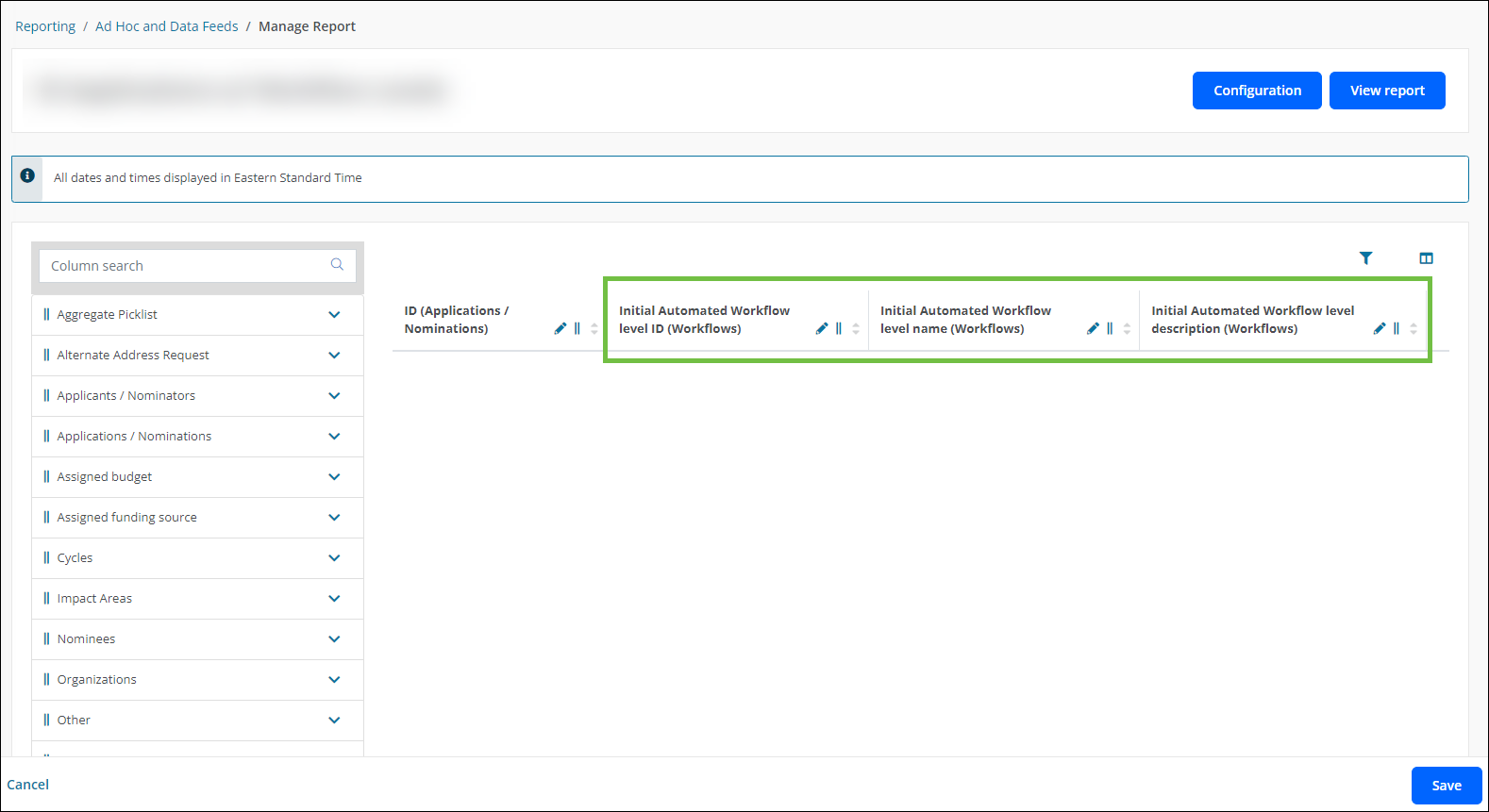
You now have the option to pull information into Ad Hoc reports and dashboards about the initial workflow level or sub-level an application or nomination is automatically routed to when first submitted. This is accomplished by adding the following columns from the Workflows group to your report or a Table widget in your dashboard.
-
Initial Automated Workflow Level Description
-
Initial Automated Workflow Level ID
-
Initial Automated Workflow Level Name
Note: For more information, see Can I report on Workflow Level Automation in Ad Hoc reporting? and Can I report on Workflow Level Automation in dashboards?.
User interface enhancements
Updated styling for pop-up screens and modals
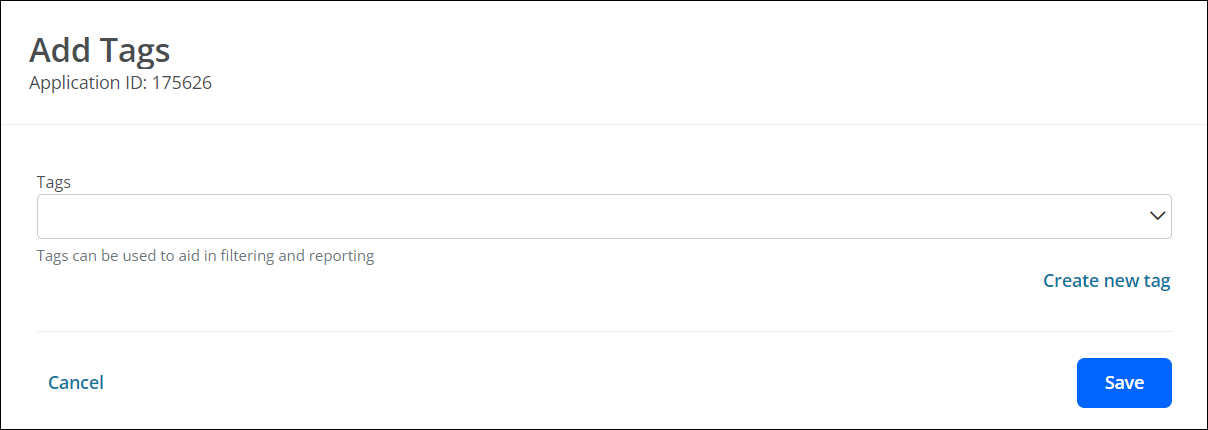
The styling of pop-up screens and modals has been updated as part of our effort to integrate Blackbaud’s standard user interface design into GrantsConnect. This includes replacing the colored header with a white background and default font color. An example is shown in the image below.