Manage Draft Events
An event that has a status of Draft has been saved to be published later. Edits can still be made to a Draft event. However, volunteers will not be able to sign up until the event is published (Live).
Note: Follow the instructions in Create Volunteer Events to ensure you have included all necessary information for your event before publishing it. This includes adding contacts, shifts, and documents and images. Once an event has been published, edits cannot be made.
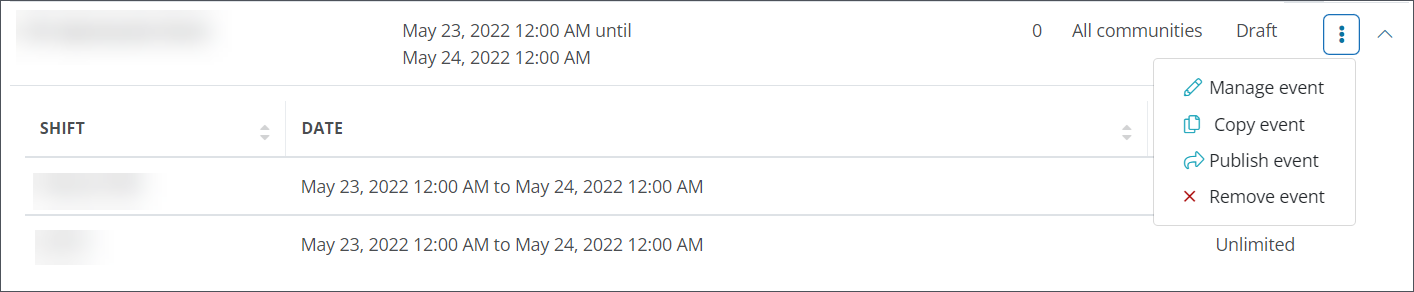
Actions available for Draft events include:
-
Manage Event - View and edit the event, including contacts, shifts, and documents and photos.
-
Copy Event - Create a copy of the event, saving it as a draft.
-
Publish Event - This option will make the event Live for volunteers to sign up.
-
Remove Event - Delete the event from the system. This cannot be undone.