What's Recent Archives
For the latest enhancements, see What's New and What's Recent.
November 2024
 Accept recurring payments through Blackbaud Payment Terminal
To provide your supporters with more ways to pay, Blackbaud’s Payment Terminal solution now supports recurring payments paid by credit and debit card. Previously, only one-time payments were supported.
Warning: Currently, Payment Terminal doesn’t support recurring payments paid by digital wallets (such as Apple Pay and Google Pay). One-time payments are still supported.
To pay for a recurring transaction, such as an auto-renewing membership, payers must authorize your organization to store their payment method by agreeing to terms shown on the Payment Terminal device.
Note: You should also communicate to the payer the terms and conditions for recurring payments. For example, in Blackbaud Altru, you should set up and send an appeal communication to auto-renewing members.
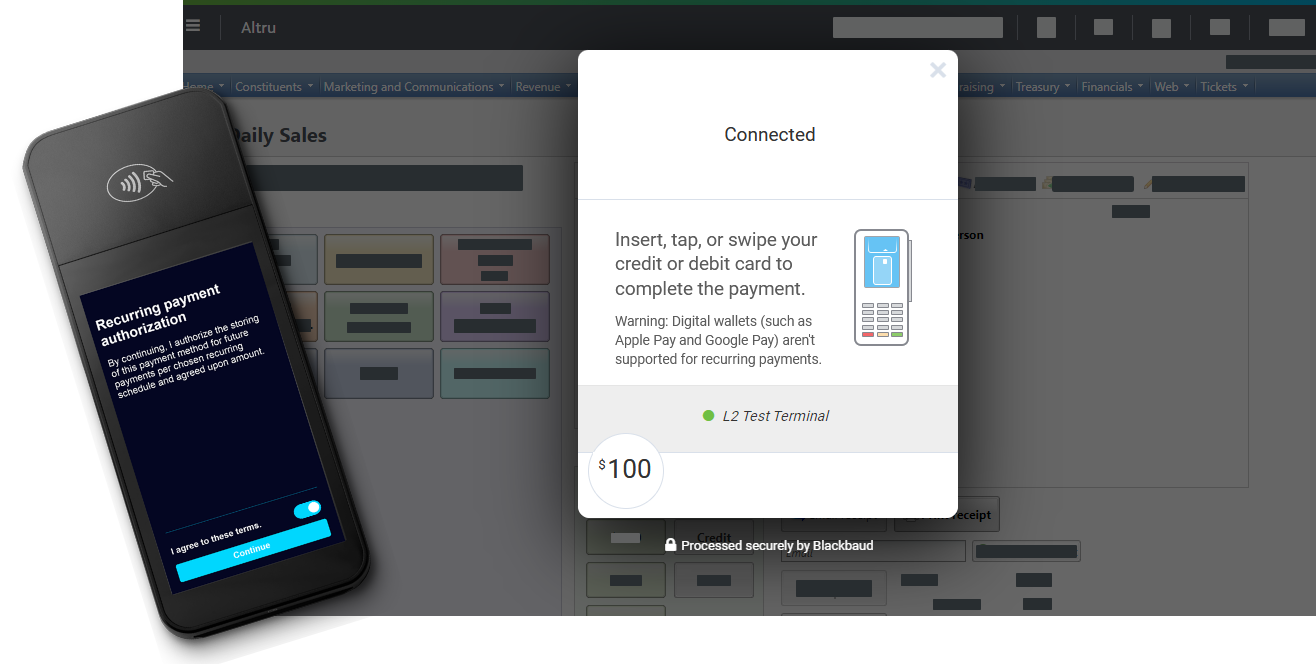
Payment Terminal is currently available through Altru and the Payments API. With Payment Terminal, you can:
-
Accept contactless payments via cards with embedded chips and “tap to pay” technologies.
-
Process payments three times faster than with a magnetic swipe device.
-
Protect constituents and your organization from credit card fraud with EMV-certified card readers that offer end-to-end encryption.
-
Conveniently reconcile Payment Terminal transactions with others processed through your Blackbaud Merchant Services account.
Visit Payment Terminal resources to get started!
Enhancements to payment processing in Blackbaud Luminate Online
The Luminate Online 24.4 release includes the following enhancements to payment processing:
-
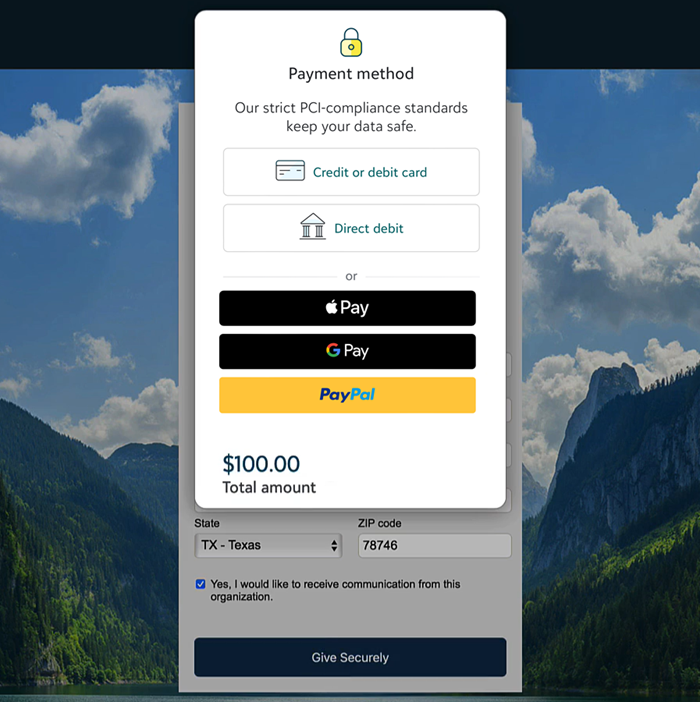
A dynamic and secure checkout form that meets Payment Card Industry Data Security Standard v4.0 requirements
-
An improved user experience built on industry best practice settings
-
More payment methods such as Apple Pay and Google Pay
-
End-to-end transaction management in Blackbaud Merchant Services
For more information, see Update Your Checkout Experience and Luminate Online Checkout FAQs.
Select an existing environment to pair with new Blackbaud Merchant Services accounts
To help you customize your account configuration, when you create a new Blackbaud Merchant Services account, you can now select an existing environment.
In the Admin section of Blackbaud’s website, from Settings, Merchant accounts, select Add merchant account. During setup, you're prompted to create a new environment or select an existing environment for your new account. Previously, every new account was automatically paired to a new environment.
Enhancements to the help experience
To improve how you interact with and consume help resources, we’ve made accessibility enhancements and updated the look and feel of our help.
-
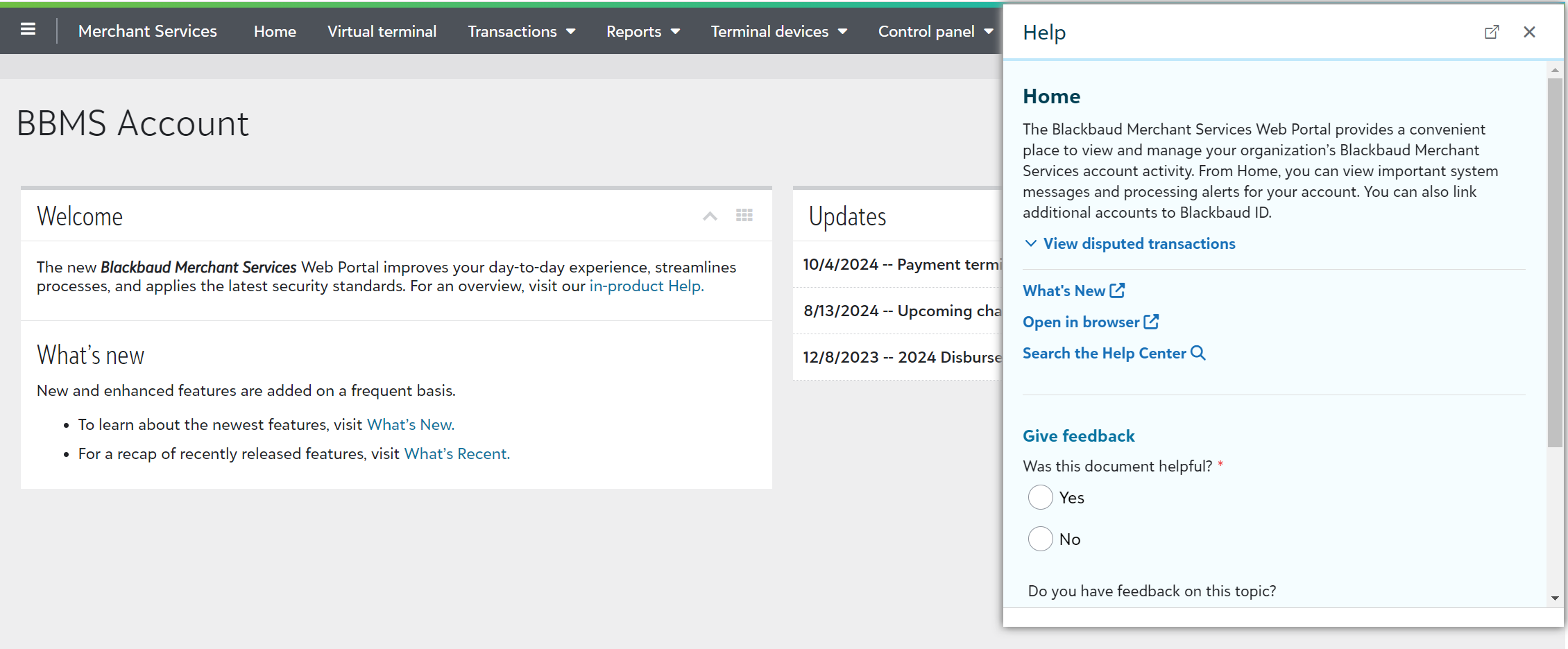
Help access from the omnibar — Select to open help from the omnibar. Previously, you opened help from the green help invoker.

-
Help window size and style — While help still functions the same, it is now larger to make text easier to view. Also, we’ve updated the color and style to provide a more consistent experience with our solution.
-
Tip style — Updated look of tips makes additional help content easier to scan.
October 2024
Find the name of a user who ordered a payment terminal
To help you easily figure out who ordered a payment terminal, from Terminal devices, Order terminals, the Ordered by column now displays the name of the user who placed the order.
For more information, see Payment Terminal Devices.
Updates to date formats for CSV exports
To help you maintain consistency, we’ve made updates to the date format for CSV exports. Now, when you download a transaction list, a transaction totals report, or a Credit Card Updater report, the date format in the export matches the format within the Blackbaud Merchant Services web portal. For example, if your date format is 31/7/2024 in your transaction list, the CSV format is also 31/7/2024. Previously, the CSV format switched to 7/31/2024.
Filter transaction lists with the application search bar
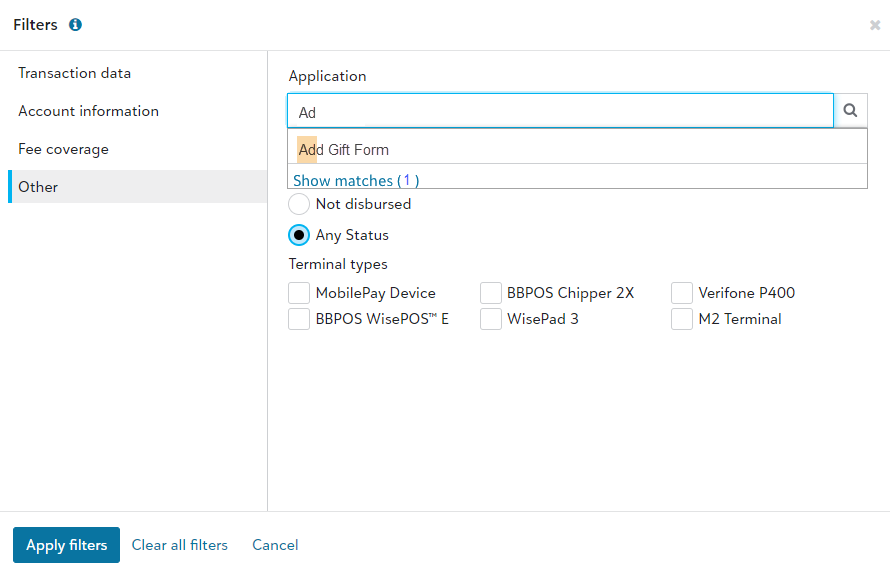
To help you identify how transactions come into your database, you can now easily filter with the application search bar. Previously, the application filter was a blank field.
From Transactions, Transaction lists, Filter, select Other. Under Application, you can now search for applications, such as Add Gift Form or Donation Forms.
For more information, see Transaction Lists.
September 2024
Export Credit Card Updater results to CSV
To help you more easily compare credit card updates between Blackbaud Merchant Services and your Blackbaud solution, you can now export Credit Card Updater results to CSV.
From Reports, Credit card updater, select Filter or Columns to apply settings you’d like shown in your export. To export the data, select Export.
For more information, see Credit Card Updater.
June 2024
Search transaction lists by transaction ID
To help you quickly find a specific transaction, from Transactions, Transaction lists, you can now search by transaction ID. You can use transaction IDs to find corresponding transactions between Blackbaud Merchant Services and other Blackbaud solutions. Previously, you could search only by account holder.
For more information, see Transaction Lists.
View transactions in your preferred time zone
To make it easier to reconcile payments, now in Transaction lists, you can view transactions in your organization’s local time zone. The new filter lets you view transaction dates in a way that is consistent with your integrated Blackbaud solution. Previously, transactions displayed in Eastern Time for all users.
From a list of transactions — such as the generated list corresponding to your disbursement report — select Filter. From Transaction data, select your preferred Organization time zone. Then, Apply filters.
Tip: Include the Transaction date column to view the date and time. You can also save the list for future viewing.
Updates to Blackbaud MobilePay Terminal™
We released a new version of MobilePay Terminal that includes performance improvements and general bug fixes. The app now requires a minimum operating system of Android 10 (for Android devices) or iOS 15 (for Apple devices).
For more information, see MobilePay Terminal Help.
Accept PayPal and Venmo payments through Optimized Donation Forms
Building on recent digital wallet enhancements, Optimized Donation Forms now support PayPal and Venmo for one-time gifts. Previously, these payment methods were only available on Standard Donation Forms.
To accept PayPal and Venmo, connect your PayPal Business and Blackbaud Merchant Services accounts in the Blackbaud Merchant Services Web Portal. For more information, see Get Started with PayPal.
Tip: If your accounts are already connected, PayPal and Venmo display automatically to payers during checkout.
For more information about accepting digital wallets, see Digital Wallets in Online Giving Help.
Let donors cover fees when Complete Cover isn’t supported
To help you cover online transaction costs, now in Optimized Donation Forms, donors can cover fees when Complete Cover is enabled but a donation isn’t eligible. Donor cover automatically displays if a donation is $3,000 or more or if it's paid by PayPal or Venmo.
Note: If donors cover fees when Complete Cover isn't supported, the form allocates those fees to the default fund on the form unless you specify a separate designation from Settings in Online Giving.
For more information, including the differences between donor cover and Complete Cover, see Fee Coverage in Online Giving Help.
Verify domains for Apple Pay from the Blackbaud Merchant Services Web Portal
To display Apple Pay on a website, Apple requires verification of the site's domain. To make it easier to set up Apple Pay for Optimized Donation Forms in Online Giving, you can now verify your domain through the Blackbaud Merchant Services Web Portal. Previously, you needed to contact Blackbaud Support.
From Control panel, Settings, expand Payment domains and select Add domain. For more information, see Payment Domains.
Note: Domain verification is only necessary for Optimized Forms that are embedded or launched from links or buttons on your organization's website. Optimized Forms launched from Blackbaud-hosted URLs are already verified.
May 2024
View account holder names in the Credit Card Updater report
Credit Card Updater from Blackbaud Merchant Services helps you keep your supporters' credit card info updated and accurate.
To help you match updated credit cards with info in your Blackbaud solution, from the Credit Card Updater report, you can now view account holder names.
For more information, see View updated card details.
April 2024
View a list of transactions within a disbursement
To help you reconcile transactions between your Blackbaud Merchant Services disbursement and your Blackbaud solution, you can now view a list that contains all transactions in a disbursement. From Reports, Disbursement, under Disbursement Reports, select the hyperlinked amount. In the transaction list, you can modify columns or filters and save the new list.
For more information, see Transaction Lists.
March 2024
Blackbaud Checkout now respects Luminate Online locale settings
To provide a more consistent experience for constituents, Blackbaud Checkout now respects Multiple Locale settings in Luminate Online for the following locales:
-
en_US (English US)
-
en_AU (English Australia)
-
fr_CA (French Canada)
Previously, Blackbaud Checkout determined locales based on a payer's browser settings.
For more information, see Multiple Locale Support in Luminate Online Help.
Add and update account signatories from the Blackbaud Merchant Services Web Portal
To make it easier to update your Blackbaud Merchant Services account signatories due to staff turnover, new account requirements, or other changes, you can now manage signatory authorities from the web portal. Previously, you needed to contact Blackbaud Support to make changes.
From Control panel, Settings, expand Signatory authorities to add or update signatories. For more information, see Signatory Authorities.
Collect survey responses from payers during checkout
Help Blackbaud improve the online payment experience by letting us display an optional survey to payers after they check out through your online forms. When enabled, Blackbaud periodically presents surveys and collects research on user interaction. For example, we may ask the payer how easy they found the checkout process or if they have suggestions to improve their experience.
The survey is turned on by default. To turn it off, from Control panel, Settings, edit an account configuration. Under Checkout survey, clear the option and save.
February 2024
Manage required signatory information from the Blackbaud Merchant Services Web Portal
Blackbaud is committed to being compliant with the federal Bank Secrecy Act (BSA) and other applicable financial regulations as a reporting entity under the BSA. As part of the federal financial requirements, organizations must provide and verify signatory information periodically within financial accounts.
Blackbaud audits and reviews Blackbaud Merchant Services accounts periodically to ensure compliance with these regulations. To help you avoid interruption in payment processing, if your account is missing required info, the web portal home page now displays an alert. From the alert, select Update now to provide required info.

Note: To see the alert, you must be signed in as an Environment or Solution Admin, or you must be assigned a role that grants the ability to manage Blackbaud Merchant Services account information.
For more information, see Are You Compliant with Your Payment Services Account Information? in Community News.
January 2024
View real-time Credit Card Updater results from the Blackbaud Merchant Services Web Portal
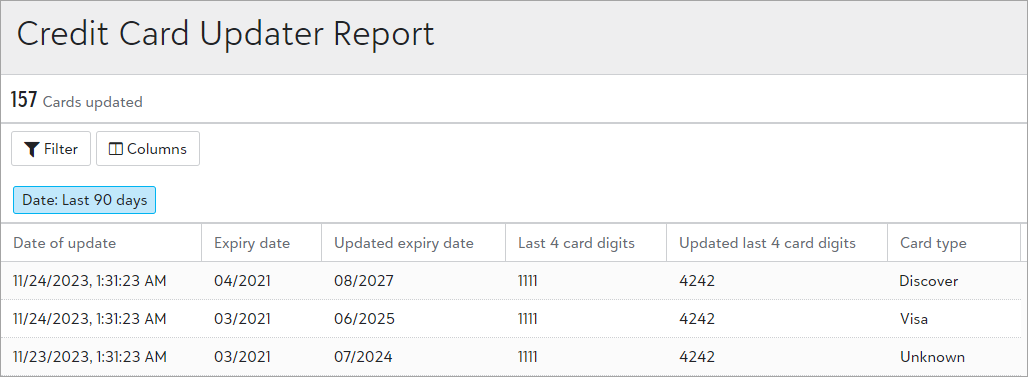
Credit Card Updater from Blackbaud Merchant Services helps prevent disruptions in recurring giving by keeping your supporters' credit cards up to date. To help you monitor card updates in real time, from the web portal, you can now view a consolidated list of all updated cards for your account. Previously, you needed to view monthly reports from each Blackbaud solution.
Note: As a reminder, Credit Card Updater automatically runs for all Blackbaud Merchant Services accounts and is included in your standard rate!
From Reports, Credit card updater, updates from the last 90 days display. Select Filter to change the date range or to view only certain card types, such as Visa.
The report displays the total number of cards updated for the selected date range. For each card, it also displays:
-
The date of the update
-
The previous and updated expiration dates
-
The previous and updated last four card digits
To grant access to the report, update a role's permissions from Control panel, Roles.
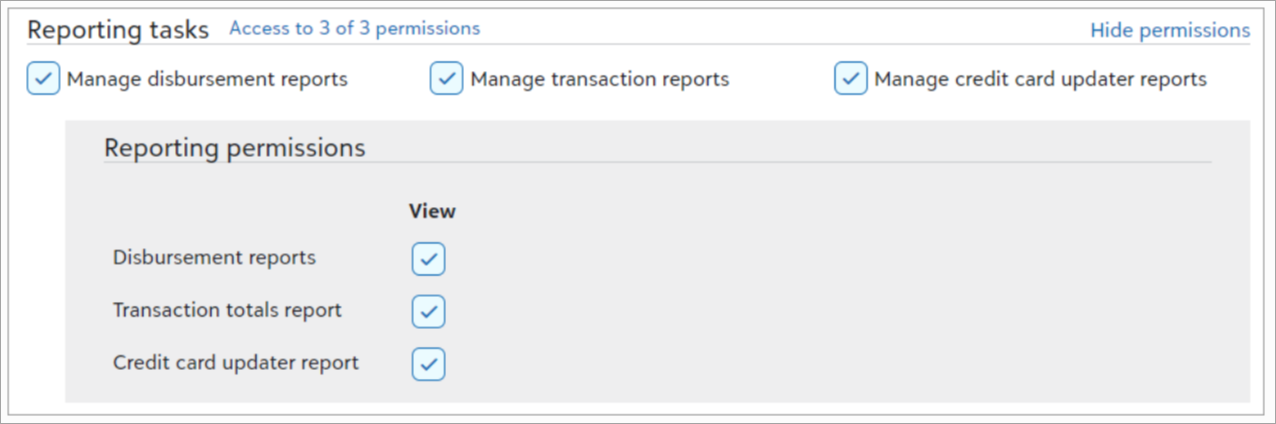
Tip: Solution admins can view all reports.
Updates due to California Assembly Bill 488
Due to California Assembly Bill 488, donations made through Blackbaud solutions by California residents to organizations that are not in “good standing” will no longer be accepted. As a result, you can now:
-
View failed transactions — From the Blackbaud Merchant Services Web Portal, you can create a list to view failed Blackbaud Merchant Services transactions that returned gateway decline code 812 due to California AB 488. For information on how to create a list and apply filters, see Transaction Lists.
-
Add a Transaction category from Virtual terminal payments — To comply with California state law, a transaction must be categorized when processed through the Virtual terminal. For a list of categories and their descriptions, see Assign a transaction category.
View estimated delivery dates for payment terminal orders
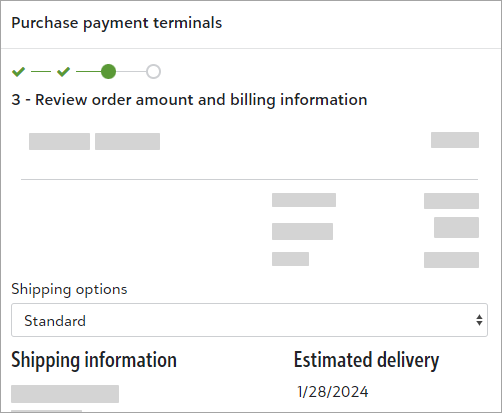
Now when you order devices and accessories from the web portal, you can view the order's estimated delivery date. From Terminal devices, Order terminals, select Order terminals. Under step three — Review order amount and billing information — choose a shipping option to see its estimated delivery date.
November 2023
Updates for California resident donation processing due to Assembly Bill 488
The State of California recently enacted legislation, California Assembly Bill 488 (CA AB 488), which regulates online charitable fundraising in the state. Beginning January 1, 2024, Blackbaud will be prohibited from assisting organizations not in “good standing” in California with making charitable solicitations to and receiving funds from California residents. As a result, Blackbaud has made the following changes:
-
Beginning in November 2023, Blackbaud will notify charitable organizations that we believe may not be in “good standing” in California based on government data. To help you navigate the regulations and check your status, see California Assembly Bill 488: Impact to Charitable Organizations.
-
Beginning January 2024, donations made through Blackbaud solutions by California residents to organizations that are not in “good standing” will no longer be accepted.
Enhancements to Blackbaud Checkout
-
To increase participation, the Complete Cover ask now displays as a checkbox. Previously, it was a dropdown.
-
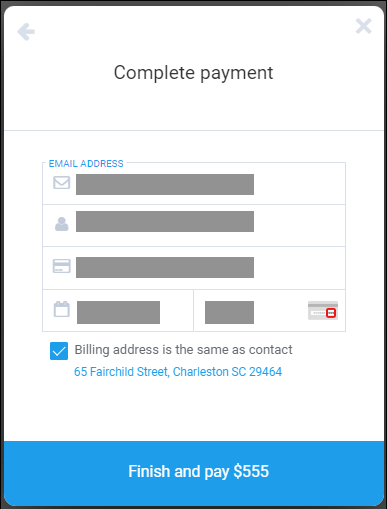
To reduce confusion, the amount due now displays beside Finish and pay instead of in the corner.
-
To improve the payment experience by reducing data entry, we activated a new test for Blackbaud Checkout for some payers. Instead of entering address information a second time, Blackbaud Checkout brings the contact information from the form into the payment experience. Payers can clear Billing address is the same as contact to view and update their address.
Note: This test is conducted randomly and will run for a few weeks.
October 2023
Refund transactions made within the last 120 days through Blackbaud MobilePay Terminal™
From the MobilePay Terminal app, you can now view and refund transactions made within the last 120 days. Previously, you could only view transactions made within the last 7 days.
Tip: This enhancement is especially helpful for Canadian organizations that accept Interac payments. Because Interac refunds must be handled in person with the physical card present, you can only refund Interac payments through MobilePay Terminal.
Note: You can continue to refund all other transactions for up to 365 days from the Blackbaud Merchant Services Web Portal.
For more information, visit MobilePay Terminal Help.
Copy transaction info to clipboard
To save you time as you work across multiple programs or Blackbaud solutions, you can now quickly copy important info when viewing a transaction list or record.
To copy, hover over one of the following values and select  Copy:
Copy:
-
Account holder
-
Application
-
Transaction ID
-
Reference number
-
Email
-
Authorization code
Update to supported credit card types
To help you accept more payments, and to meet requirements from Discover®, from Settings, Account configurations, under Supported credit cards, the following card types are now combined: Discover, Diners Club, and Japan Credit Bureau (JCB). Diners Club and JCB cards are part of the Discover Global Network and are accepted where Discover cards are accepted.
Account configurations previously set to support one of these card types now automatically support all three. For more information, see Account Configurations.
September 2023
User list improvements and updated navigation
Note: The following changes are releasing in waved rollouts. If you don't see them yet, don't worry. You'll receive them in a future release.
To help admins better manage users, we improved user lists. We also updated the navigation under Control panel to include new pages for Users, Roles, and History. Previously, admins accessed these pages from Control panel, Security.
Tip: To view the default user list, select Control panel,Users, Build a new list, Show all records.
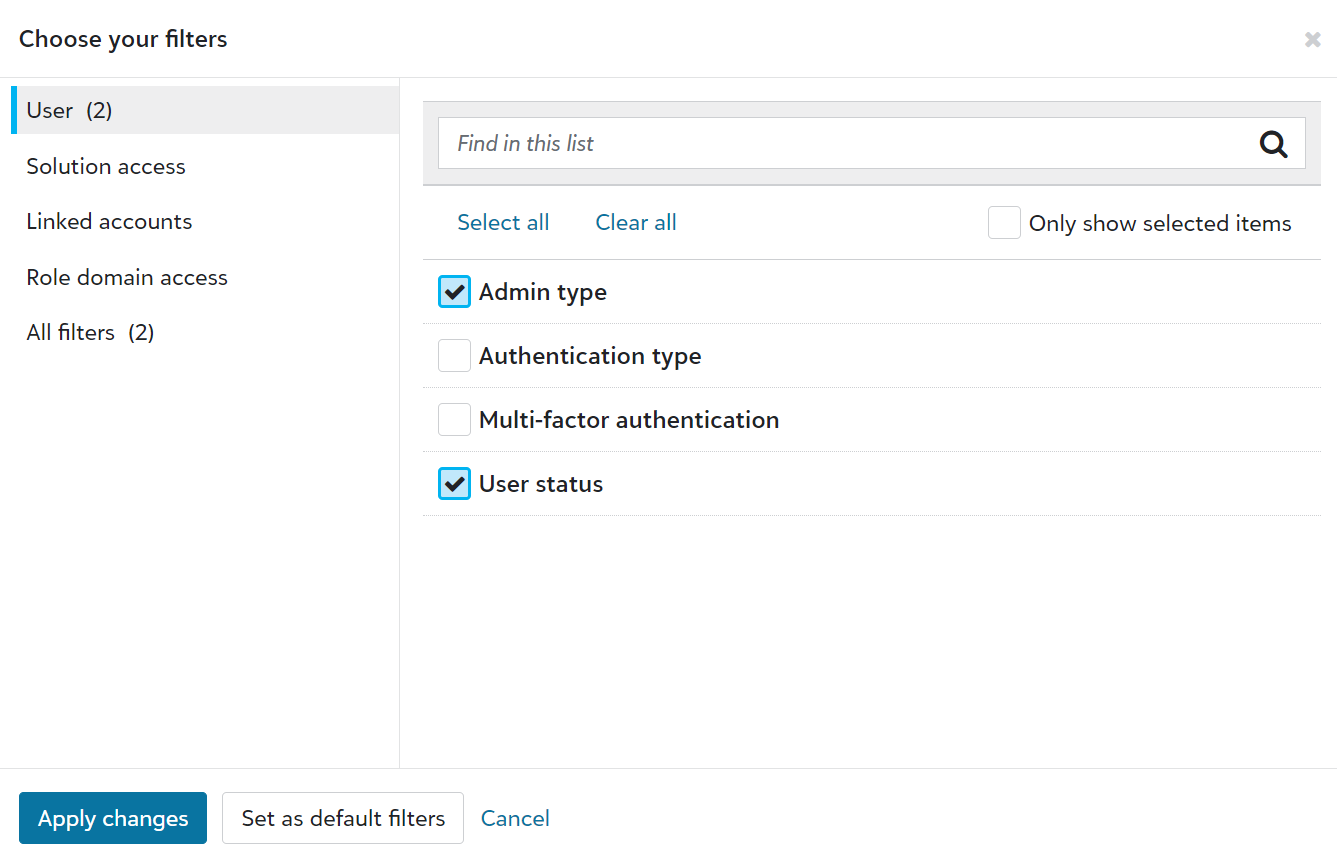
From Control panel, Users, admins can now:
-
Use solution access, linked accounts, roles, admin types, authentication types, and multi-factor authentication statuses as columns and filters.
-
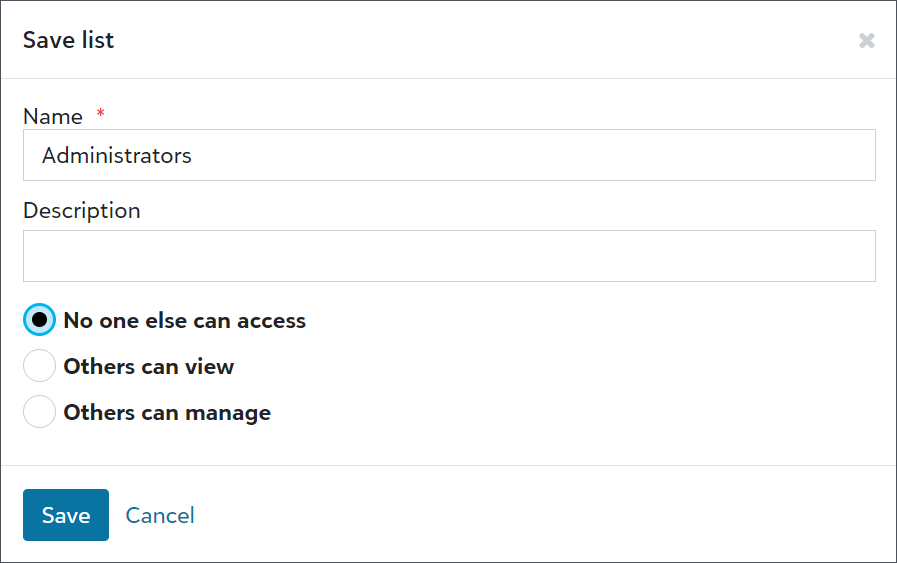
Save lists to easily reference user information.
-
Export user lists for compliance reviews or to analyze data alongside third-party data, such as from Human Resources or your organization’s Identity and Access Management (IAM) group.

-
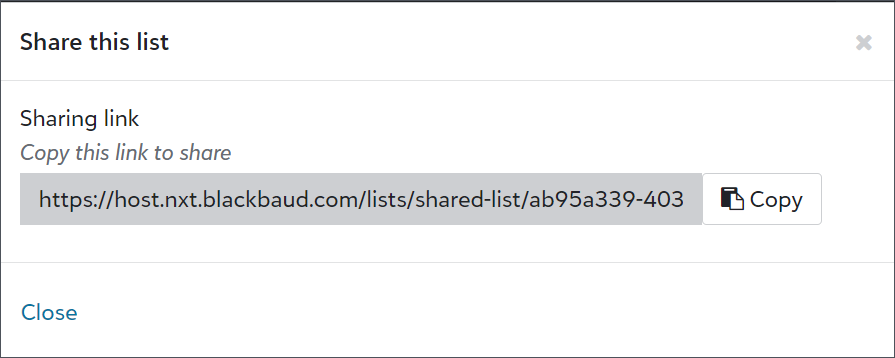
Share user lists with other admins.
Upcoming fraud prevention enhancements for Blackbaud Merchant Services
To protect you and your constituents against payment fraud and improve conversion rates for legitimate transactions, we made the following enhancements to new Blackbaud Merchant Services accounts:
-
Universal reCAPTCHA v3 — Known as "Invisible reCAPTCHA", reCAPTCHA v3 uses advanced machine learning to identify threats and verify that a human is trying to transact without frustrating pictures or validation steps. Blackbaud Merchant Services and Blackbaud Checkout (including Virtual terminal) will use reCAPTCHA v3 by the end of 2023.
-
3D Secure (3DS) — 3DS authentication is growing in popularity. It acts as an added layer of security when taking card payments online by requiring cardholders to authenticate prior to paying. Existing and new configurations will use 3DS processing. With this change, you no longer need to mark Use 3DS processing to enable it for a configuration.
With these enhancements, you'll see an increase in conversion rates while improving the payment processing experience for your supporters. For more information, see Fraud Management.
Consolidated payment panels for some supporters
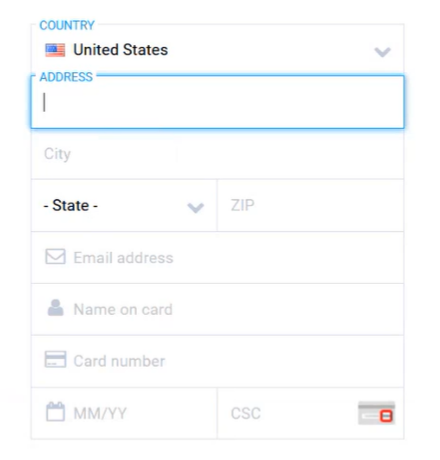
To improve the payment experience by reducing the number of steps, we activated a new test for Blackbaud Checkout. For one-time credit card payments, the Contact and billing information may be consolidated with the credit card details. This test is conducted randomly and will run for a few weeks.
August 2023
Enhancements to Credit Card Updater — now available for all currencies!
Credit Card Updater from Blackbaud Merchant Services helps you increase authorization rates and avoid disruptions in recurring giving. Now, recent enhancements make it even easier to keep your supporters' credit card info updated and accurate.
-
Credit Card Updater now automatically runs for accounts in all currencies and is included your standard rate! Previously, it was only available to accounts that process in US and Canadian dollars.
-
All stored cards are now eligible for updates. Previously, you needed to register and deregister cards through your Blackbaud solution.
-
Credit Card Updater now updates card info in real time. Previously, it updated cards on a monthly basis.
Note: Reporting enhancements are coming soon to the Blackbaud Merchant Services Web Portal! Existing reports will continue to be available mid-month in your Blackbaud solution. Also, failed card updates temporarily won't appear in reports.
For more information, see Credit Card Updater.
July 2023
Find disbursement reports by date
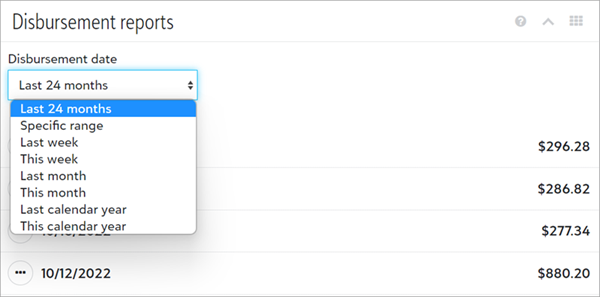
To quickly access past disbursement reports, from Reports, Disbursement, you can now filter by date.
Under Disbursement date, select a date range. The list displays all reports that meet your criteria.
Fee-cover options now available for recurring USD direct debit transactions in Blackbaud Raiser's Edge NXT
Recently, we announced that Raiser's Edge NXT donation forms support donor cover and Complete Cover® for recurring transactions paid by credit card. Now, the forms also support fee-cover options for recurring USD direct debit transactions.
For more information, see What's New in Raiser's Edge NXT Help.
May 2023
Fee-cover options now available for recurring credit card transactions in Blackbaud Raiser's Edge NXT
To increase revenue for your mission, Raiser's Edge NXT donation forms now support donor cover and Complete Cover® for recurring gifts paid by credit card. Previously, fee-cover options were only available for one-time payments. For more information, see What's New in Raiser's Edge NXT Help.
Updates for Complete Cover
-
As a part of our ongoing optimization efforts, we released a new A/B test for Complete Cover-enabled forms. Blackbaud Checkout now asks some supporters to contribute to Blackbaud by marking a checkbox or selecting a value from the dropdown. For more information about A/B testing, see this Knowledgebase article.
-
Complete Cover-enabled forms will default to 12% in the dropdown for some supporters. Previously, the default was 10%.
Contributing to Blackbaud continues to be optional and supporters can adjust the amount before processing the payment.
De-identify transaction records
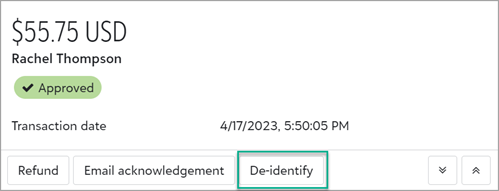
To comply with data privacy laws, such as when an individual asks you to delete their data, you can now de-identify a transaction from the web portal. This ensures the transaction is no longer associated with an account holder.
From the transaction record, select De-identify and confirm changes.
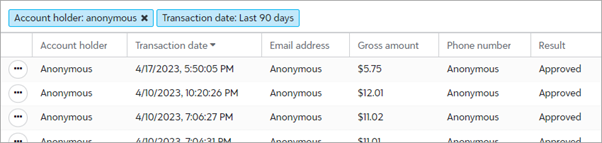
After you confirm, all personal data for the transaction permanently displays as Anonymous in records, reports, and lists.
Note: If the transaction exists in another solution, such as Blackbaud Raiser's Edge NXT, you must update it separately.
For more information about privacy laws and compliance, visit Blackbaud's Privacy Resource Center.
Tip: Admins! To give non-admin users rights to de-identify transactions, add a permission to their role. When editing a merchant services role, under Transaction management, select De-identify transactions. For more information, see Modify a Role.
Enhancements to notifications
To improve the way you stay informed of activity in your Blackbaud Merchant Services account, from Control panel, Settings, we made these changes to notifications:
-
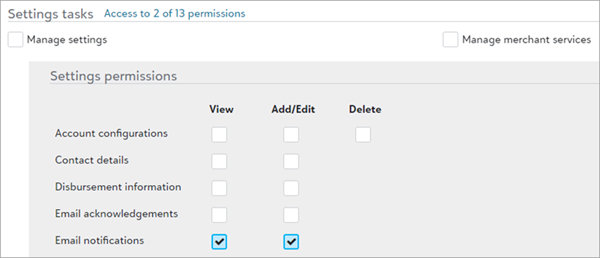
Users who have rights to add and edit email notifications can now manage notification settings for others. For example, you can unsubscribe from notifications on behalf of a user who has left your organization or no longer needs to receive them.
-
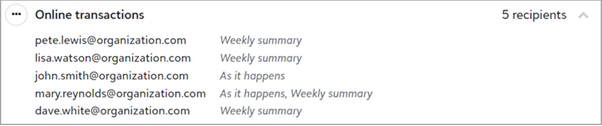
Each recipient can now choose how frequently they receive notifications. Previously, all recipients received notifications at the same frequency.
-
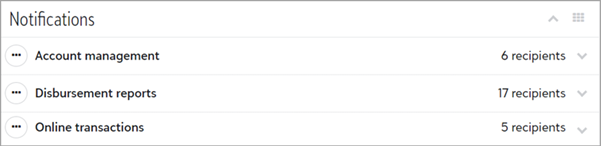
For each type of notification, you can now quickly see how many recipients subscribed.
-
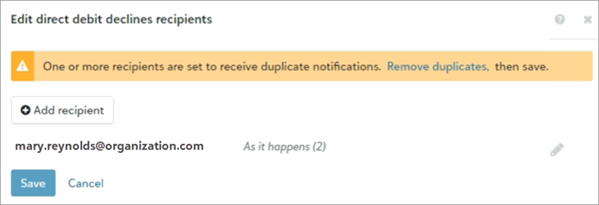
Now when you edit a notification's settings, if duplicates exist, you can quickly clean them up.
For more information, see Notifications.
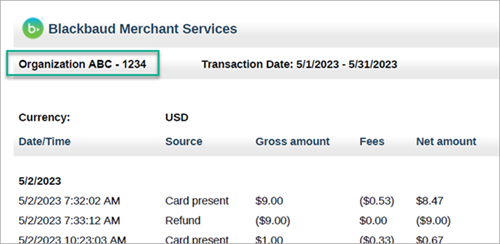
View your organization's name and site ID on the Transaction totals report
Based on user feedback, the Transaction totals report now displays your organization’s name and site ID. This is especially helpful if your organization has multiple subsites or affiliates.
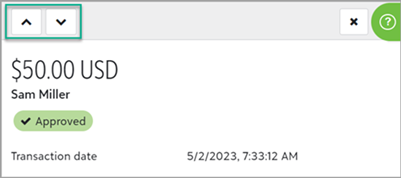
Quickly move between transactions in a list
Now when you work with a list of transactions, you can quickly move between records.
To open a transaction record from a list, from the transaction's menu, select Details. To move between records, use the previous and next arrows.
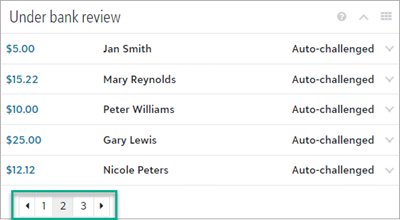
Manage disputes more efficiently
To more efficiently manage a large number of disputes, the Needs review and Under bank review sections now display five records at a time. Previously, all disputes appeared.
From Transactions, Disputes, expand Needs review or Under bank review. If more than five disputes exist, use the arrows or page numbers to view more.
Grant more permissions to non-admins
To give you more control over who can manage certain details and settings for your Blackbaud Merchant Services account, from the web portal, you can now grant more permissions to non-admin users. When assigned to a role, the new permissions give users the ability to:
-
Perform general account management tasks (such as providing account info when new requirements are introduced).
-
Set up and manage PayPal integrations.
-
Edit and delete transaction lists.
Previously, only environment and solution admins had these abilities.
To add the permissions to a role:
-
From Control Panel, Security, select Roles.
-
Under Merchant services roles, add or edit a role, then select permissions.
-
To grant the ability to perform general account management tasks, under Settings tasks, Account information, select Manage.
-
To grant the ability to set up and manage your PayPal integration, under Settings tasks, PayPal configuration, select Manage.
-
To grant the ability to edit or delete lists, under Transaction management, Transaction lists, select Manage.
Tip: To better align with recent enhancements, Transaction search is now Transaction lists.
-
-
When finished, Save.
Note: Admins continue to have these permissions regardless of whether you add them to roles.
For more information about roles and permissions, see Role-based Security Overview.
April 2023
Create and save custom transaction lists
To quickly access lists you use most often, from Transactions, Transaction lists, you can now save lists for reuse. Saved lists remember settings (such as filter criteria and columns) so you don't have to add them each time you open the list. For example, you can create a list for "transactions approved this week" and view or export it on a weekly basis.
When you open a saved list, it loads the latest records that meet its filter criteria. You can modify a list's settings at any time.
Tip: When you first open the list of transactions, a default list automatically appears based on filters and columns from your last session. To save and reuse the list, select Save, Save as a new list. Enter a name, select security settings, and save.
For more information, see Transaction Lists.
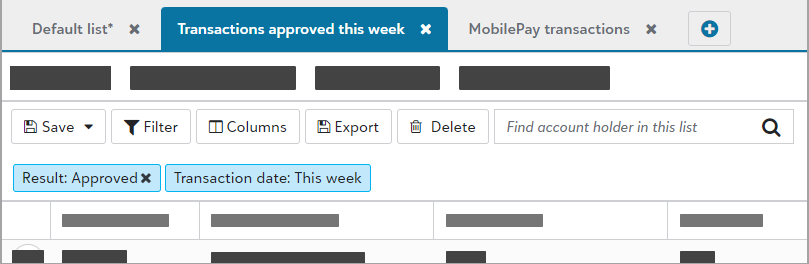
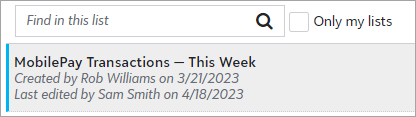
View a transaction list's creator and created date
From Transactions, Transaction lists, now when you search for a saved list to open, you can see who created it and when.
Locate the chargeback case number
To help resolve chargebacks more efficiently, you can now locate the chargeback case number for chargebacks under bank review. To locate the chargeback case number — which starts with dp_ — expand the transaction from Transactions, Disputes, Under bank review.

Accept Apple Pay more easily
To help donors pay faster and more easily, Blackbaud Checkout now displays Apple Pay first when using an Apple Pay compatible device.
Tip: For more information on device requirements, see Apple’s website.
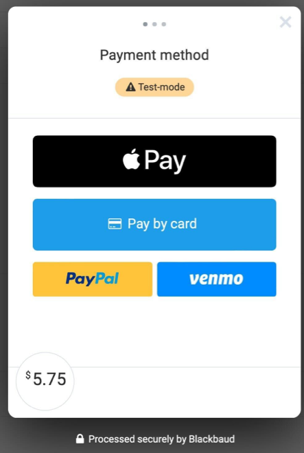
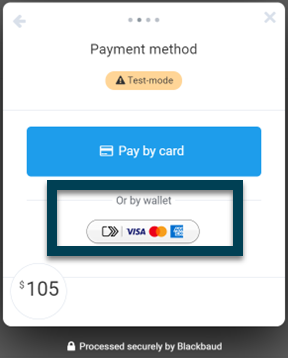
Updates to accepted payment methods for Blackbaud Checkout
As a part of our ongoing optimization efforts, we have temporarily disabled Click to Pay while we improve the user experience.
March 2023
Process USD direct debits for one-time transactions through forms with fee coverage
Blackbaud Checkout now accepts direct debits for one-time US dollar transactions made through forms configured for donors or Blackbaud to pay processing fees. These donations can also be refunded in full.
Tip: Enable direct debit on your form to start accepting ACH/direct debit transactions with fee coverage. For more information about accepted payment methods, see Blackbaud Payment Processing Fees.
January 2023
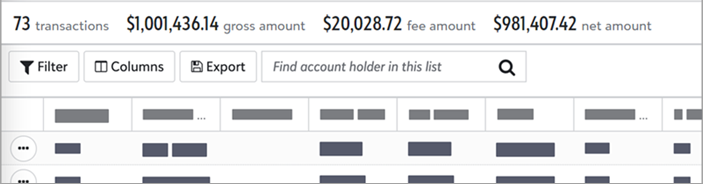
View subtotals in a transactions list
To help you reconcile your Blackbaud Merchant Services account activity with reports in your Blackbaud solutions, from Transactions, Transaction lists, lists now display subtotals for gross, fee, and net amounts.
Tip: The list calculates subtotals based on your applied filters. Transactions that are hidden due to filter criteria are not included in subtotals.
For more information, see Transaction Lists.
Filter transactions by fee-coverage options
To help you quickly filter on how processing fees were paid, from Transactions, Transaction lists, fee-coverage filters are now easier to apply.
From a list, select Filter, then Fee coverage. Select an option, then Save. For example, you can view only transactions for which donors covered fees.
For more information, see Transaction Lists.